10 Laser Engraving Terms You Should Know
If you’ve just bought a laser engraver—or you’re considering starting a laser engraving business in the UK—you’ll quickly notice how often technical terms get thrown around. DPI, PPI, vector, dithering… it can feel like a different language at first.
But these terms aren’t just jargon. They’re practical tools that help you troubleshoot faster, improve engraving quality, reduce material waste, and work more efficiently.
Think of it like cooking: you don’t need to be a professional chef, but you do need to understand what “medium heat” means if you want consistent results.

1. DPI (Dots Per Inch)
DPI refers to how many dots (or pixels) are engraved per inch. It directly affects detail and how much overlap occurs between engraved points.
Higher DPI = more detail, but also more heat concentration.
Practical guidance:
- Wood: Lower DPI usually gives better results (avoids overburning)
- Acrylic: Medium DPI creates a clean frosted effect
- Too high DPI can lead to cloudy or overburned finishes
In UK workshops, where materials like birch plywood and cast acrylic are common, balancing DPI is essential for both quality and cost efficiency.
2. PPI (Pulses Per Inch)
PPI controls how many laser pulses are fired per inch of movement. It determines how continuous your cut or engraving line appears.
- Low PPI: Dotted or perforated effect
- High PPI: Smooth, continuous cuts
For example, when cutting acrylic signage (popular in UK retail and hospitality), increasing PPI improves edge smoothness—but too high can cause melting or residue buildup.
3. Line Density
Line density refers to how closely engraving lines are spaced. It works closely with DPI to determine how “filled” your engraving looks.
If your engraving looks like visible stripes instead of a solid fill, your line density is too low.
Important when:
- Engraving logos or branding assets
- Producing signage or plaques
- Eliminating scan lines for a professional finish
4. Air Assist
Air assist directs a stream of air at the laser point during engraving or cutting.
It:
- Reduces burning and charring
- Prevents residue buildup
- Improves edge quality
UK-specific note:
In enclosed indoor workshops (common in UK homes and studios), air assist is critical for maintaining clean results and minimising smoke marks—especially on wood and acrylic.
5. Dithering
Dithering uses dot patterns to simulate shading in images. Since lasers typically engrave in a single tone, dithering creates the illusion of depth.
Different patterns (e.g. Jarvis, Floyd-Steinberg) produce noticeably different results.
Used for:
- Photo engraving
- Portraits
- Detailed grayscale artwork
6. Dot Duration
Dot duration controls how long the laser fires at each point.
Instead of increasing overall power, adjusting dot duration lets you fine-tune:
- Darkness
- Depth
- Detail
Useful for:
- Photo engraving refinement
- Sensitive materials
- Avoiding overburn while improving contrast
7. Vector
Vector files use paths (lines and curves) instead of pixels. They tell the laser exactly where to move.
Used for:
- Cutting shapes
- Engraving text and outlines
- Logos and precise designs
If you want sharp edges and clean cuts—vector is essential.

8. Raster Engraving
Raster engraving works line-by-line, similar to how a printer operates.
- Slower than vector
- Better for detailed images and filled areas
Used for:
- Photos
- Complex graphics
- Background textures
Most real-world projects combine both:
- Raster for fills
- Vector for outlines and cuts
9. Power (%)
Power determines the intensity of the laser beam.
Too much power:
- Burns wood
- Melts acrylic
Too little power:
- Fails to mark material
Typical Laser Power Ranges
| Laser Type | Power Range | Common Use |
|---|---|---|
| Diode | 5W – 60W | Hobby & light work |
| CO₂ | 40W – 150W+ | Wood, acrylic, general use |
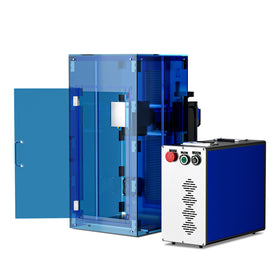
| Fiber | 20W – 150W+ | Metal engraving |
| UV | 3W – 10W | Precision materials |
10. Speed
Speed refers to how fast the laser head moves.
- Slower speed: deeper engraving
- Faster speed: lighter engraving
Speed and power always work together. Adjusting one without the other rarely gives optimal results.
Quick Reference Table
| Term | Meaning | Why It Matters |
|---|---|---|
| DPI | Dots per inch | Controls detail |
| PPI | Pulses per inch | Controls energy delivery |
| Line Density | Line spacing | Affects smoothness |
| Air Assist | Airflow at laser | Reduces burning |
| Dithering | Dot shading | Essential for photos |
| Dot Duration | Laser time per dot | Fine detail control |
| Vector | Path-based design | Clean lines & cuts |
| Raster | Line-by-line engraving | Images & fills |
| Power | Laser intensity | Depth & material response |
| Speed | Movement speed | Exposure balance |
Choosing the Right Machine (UK Small Business Context)
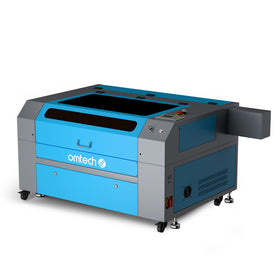
For many UK-based small businesses—Etsy sellers, signage makers, or craft studios—a 60W CO₂ laser is often the ideal starting point.
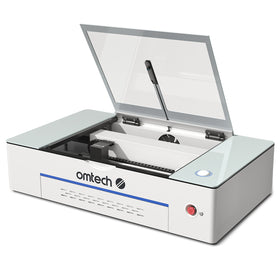
The OMTech Pronto 35 60W CO2 Laser Engraver is a common entry-level option because it balances:
- Affordability
- Versatility (wood, acrylic, leather, glass)
- Ease of use
It offers:
- Large working area (approx. 20" × 28")
- Autofocus for accuracy
- Compatibility with software like LightBurn
- Class 1 safety enclosure
This makes it well-suited for UK home workshops and small commercial setups.
Final Thoughts
Learning these terms isn’t about memorising definitions—it’s about understanding how your machine behaves.
Once you get comfortable:
- You stop guessing
- You start making intentional adjustments
- Your results become consistent
That’s when laser engraving shifts from trial-and-error to a skill you genuinely control.
If you’re serious about improving your output—whether for a business or personal projects—these fundamentals are where everything starts.