





Sort by:
-32%

Sold out
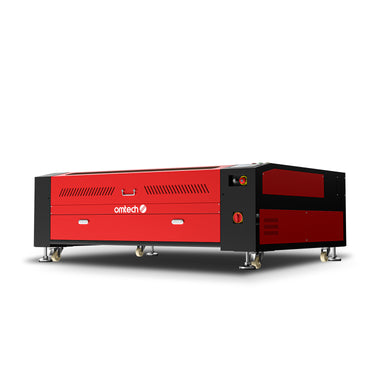 130W CO2 Laser Cutter and Engraver with 1300x900 mm Engraving Area and Autofocus | Max-1393
£3,899.98
£5,759.99
Save£1,860.01
-24%
Deal
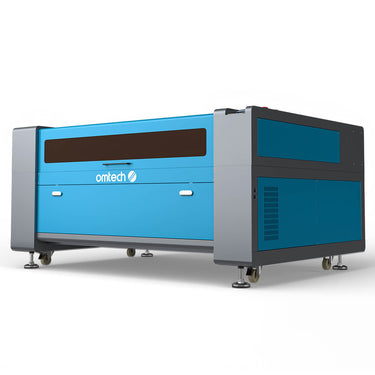 150W CO2 Laser Cutter and Engraver with 1600x1000mm Working Area with Autofocus | Max-1615
£5,999.99
£7,919.99
Save£1,920.00
-36%
Deal
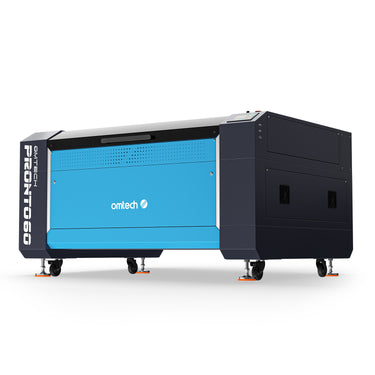 130W CO2 Laser Cutter and Engraver with 1300x900mm Engraving Area and Auto Focus| Pronto 60
£6,799.98
£10,559.99
Save£3,760.01
-21%
Pre-order Deal
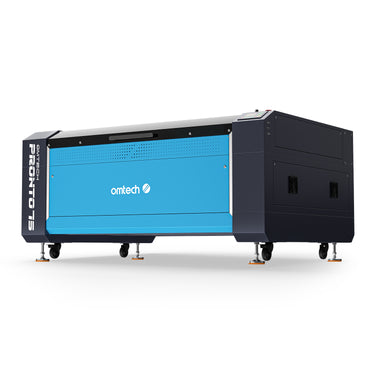 150W CO2 Laser Cutter and Engraver with 1600x1000mm Engraving Area with Auto Focus| Pronto 75
£7,600.00
£9,599.99
Save£1,999.99
-16%
Sold out
 150W 1200 mm/s CO2 Laser Engraving and Cutting Machine with Built-in Water Chiller | Pro 3655
£7,699.99
£9,198.98
Save£1,498.99
Back
No product selected
Price
Price
[[checkedProductInfoList1[item]?checkedProductInfoList1[item].price:'']]
Laser Type
Laser Type
[[checkedProductInfoList1[item]?checkedProductInfoList1[item].meta.lasertyp:'']]
Laser Power
Laser Power
[[checkedProductInfoList1[item]?checkedProductInfoList1[item].meta.laserleistung:'']]
Processing Area
Processing Area
[[checkedProductInfoList1[item]?checkedProductInfoList1[item].meta.bearbeitungsfl_che:'']]
Loading Area
Loading Area
[[checkedProductInfoList1[item]?checkedProductInfoList1[item].meta.ladefl_che:'']]
Laserable Materials
Laserable Materials
[[ (checkedProductInfoList1[item] && checkedProductInfoList1[item].meta.laserbare_materialien) ?
JSON.parse(checkedProductInfoList1[item].meta.laserbare_materialien).join('; ') : '' ]]
Laser Class
Laser Class
[[checkedProductInfoList1[item]?checkedProductInfoList1[item].meta.laserklasse:'']]
Focus Mode
Focus Mode
[[checkedProductInfoList1[item]?checkedProductInfoList1[item].meta.fokusmodus:'']]
Max Engraving Speed
Max Engraving Speed
[[checkedProductInfoList1[item]?checkedProductInfoList1[item].meta.max_gravurgeschwindigkeit:'']]
LightBurn Compatibility
LightBurn Compatibility
[[checkedProductInfoList1[item]?checkedProductInfoList1[item].meta.lightburn_kompatibilit_t:'']]
Compatible OS
Compatible OS
[[ (checkedProductInfoList1[item] && checkedProductInfoList1[item].meta.kompatible_os) ?
JSON.parse(checkedProductInfoList1[item].meta.kompatible_os).join('; ') : '' ]]
Work Table
Work Table
[[ (checkedProductInfoList1[item] && checkedProductInfoList1[item].meta.arbeitstisch) ?
JSON.parse(checkedProductInfoList1[item].meta.arbeitstisch).join('; ') : '' ]]
Rotary Compatibility
Rotary Compatibility
[[checkedProductInfoList1[item]?checkedProductInfoList1[item].meta.drehachse_kompatibilit_t:'']]
Passthrough
Passthrough
[[checkedProductInfoList1[item]?checkedProductInfoList1[item].meta.durchreiche:'']]
Max. Workpiece Height
Max. Workpiece Height
[[checkedProductInfoList1[item]?checkedProductInfoList1[item].meta.max_werkst_ckh_he:'']]
Laser Tube Lifespan
Laser Tube Lifespan
[[checkedProductInfoList1[item]?checkedProductInfoList1[item].meta.lebensdauer_der_laserr_hre:'']]
Data Transmission
Data Transmission
[[ (checkedProductInfoList1[item] && checkedProductInfoList1[item].meta.daten_bertragung) ?
JSON.parse(checkedProductInfoList1[item].meta.daten_bertragung).join('; ') : '' ]]
Net Weight
Net Weight
[[checkedProductInfoList1[item]?checkedProductInfoList1[item].meta.nettogewicht:'']]
Dimensions
Dimensions
[[checkedProductInfoList1[item]?checkedProductInfoList1[item].meta.abmessungen:'']]
Power Supply
Power Supply
[[checkedProductInfoList1[item]?checkedProductInfoList1[item].meta.energieversorgung:'']]


Share on


Share on


Share on


Share on


Share on


Share on


Share on


Share on


Share on


Share on


Share on
Customer reviews
L
Lucy Foster
For anyone cutting larger wood or acrylic sheets on a regular basis, this page offers much more realistic machine options than smaller desktop models. These are clearly built for bigger projects and heavier workloads.
2026-02-10
E
Ella Hughes
The Pronto 60 feels like a strong step up from the standard large-format options. It seems better suited to users who care not just about bed size, but also about machine stability and more demanding daily workloads.
2026-03-28
I
Isla Morris
The Max-1393 looks like a very practical choice for shops that have outgrown mid-size machines. A 1300×900 mm bed gives you much more room for full-size signs and batch jobs.
2026-01-05
L
Lily Cooper
The Pronto 75 looks like a solid option for workshops that need both scale and power. A 150W machine with a 1600×1000 mm area gives much more flexibility for thicker materials and larger layouts.
2026-02-26
O
Olivia Mitchell
Autofocus is a strong feature on this whole large-format range. On bigger machines, anything that speeds up setup and reduces manual adjustment is a real advantage.
2026-03-19
G
Grace Parker
The Pro 3655 is probably the most complete listing on this page. Built-in water chilling plus autofocus makes it feel more ready for a serious production environment.
2026-03-28
Top Laser Engravers
Top Laser Engravers

Starting a Laser Engraving Business: Full Cost Guide
Get a full breakdown of what it costs to start a laser engraving business—covering machines, tools, materials, workspace, and branding. Read our full guide now!
May 22, 2025
Read more

Diode Laser vs. CO2 Laser vs. Fiber Lasers - Complete Guide
When it comes to laser engraving and cutting, choosing the right laser engraving or laser cutting tool is key to getting the best results. The most effective laser tools contain these three laser types: diode lasers, CO2 lasers, or fiber lasers, each with its own strengths and weaknesses.
At OMTech, we’ve seen each laser in practice. Our experts have put together this guide comparing these three laser engraving types, to help you understand how they work, what materials they can handle, and which one might be the best fit for your projects. Whether you’re a hobbyist or a professional, read up so you can choose between CO2, fiber, and diode lasers for your projects!
Key Takeaways: Diode vs. CO2 vs. Fiber Lasers
We’ve summarized the major differences between diode, CO2, and fiber lasers in the table below:
Feature
Diode Laser
CO2 Laser
Fiber Laser
Wavelength
800 – 980 nm
10,600 nm
1064 nm
Primary Use
Engraving on wood, plastics
Cutting/engraving non-metals
Industrial metalwork
Precision
High
Very high
Extremely high
Power & Speed
Lower, slower
Higher, faster
Very high, fastest
Material Compatibility
Limited (softer materials)
Broad (non-metals)
Metals, hard plastics, ceramics
Cost
$400 – $550
$2,000 – $10,000
Similar to CO2 laser for lower-power models
Expensive for industrial-grade
Energy Efficiency
30 – 50%
10 – 20%
Higher than CO2
Maintenance
Low
High
Low
Best For
Hobbyists, small projects
Non-metal-focused businesses
Industrial applications
For beginners, OMTech offers a 40W CO2 laser machine around £550. Know more details about the machine.
Diode vs. CO2 vs. Fiber Laser: How They Work
Choosing whether to use a diode laser vs. CO2 laser might seem like a hard task, but when you understand how each one works, it becomes easier. Here’s what you need to know about each laser technology.
How Diode Lasers Work
Diode lasers are compact and efficient devices that use semiconductor materials to create laser light. The process begins when an electric current passes through the diode, causing electrons in the semiconductor to jump from a higher energy level to a lower one.
This transition releases energy in the form of photons, which is the light we see. These photons bounce between mirrors inside the diode, amplifying the light and creating a focused laser beam. Diode lasers are known for their precision and are often used for engraving delicate or fine details on materials like wood, plastic, and metals.
How CO2 Lasers Work
CO2 lasers operate on a different principle compared to diode lasers. These lasers use a gas mixture primarily composed of carbon dioxide (CO2), nitrogen, and helium. When an electric current is applied, it excites the nitrogen molecules, which, in turn, transfer energy to the CO2 molecules.
This energy causes the CO2 molecules to emit light in the infrared spectrum. The light is then directed and focused through mirrors and lenses to produce a powerful and precise laser beam. CO2 lasers, like those available in OMTech’s collection, are widely used for cutting and engraving non-metallic materials such as wood, acrylic, leather, and glass, offering deep cuts and high-speed performance.
How Fiber Lasers Work
When a light source pumps energy into a fiber, rare-earth elements (such as erbium, ytterbium, or neodymium) doped within the fiber are excited. These elements have specific energy levels that enable them to efficiently absorb and emit light.
As the light source excites the atoms within the fiber, they reach an excited energy state. If another photon with the same energy as the excited atoms passes through the fiber, it can stimulate the excited atom to emit a photon with the same energy and phase.
The fiber is placed within an optical cavity consisting of two mirrors—one highly reflective and the other partially reflective. This cavity helps amplify the light through multiple reflections, creating a coherent laser beam. The partially reflective mirror allows a portion of the amplified light to escape the cavity, forming the laser beam output. This output beam can be directed and focused for various applications such as cutting, welding, or marking.
Advantages and Limitations of Diode, CO2, and Fiber Lasers
Now, let's explore the advantages and disadvantages of the three types of lasers.
Advantages of Diode Lasers
Diode lasers are known for their affordability ($400 to $550 on average) and compact size (around 100 grams with heatsink), making them accessible to everyone. They also consume smaller amounts of power than CO2 lasers, which makes them energy-efficient and cost-effective to operate.
They’re particularly effective for engraving on materials like wood, plastic, leather, and acrylic. Diode lasers’ precise focus also allows for detailed engravings, making them ideal for intricate designs.
They often have a longer lifespan (up to 50,000 hours), reducing the need for frequent replacements. These lasers tend to have higher electrical efficiency than CO2 lasers (30 to 50% compared to 10 to 20%).
Some specially crafted diodes can cut/engrave metals like stainless steel, aluminum, copper, and some plastics and fabrics, making them pretty versatile.
Limitations of Diode Lasers
Despite their benefits, diode lasers have limitations. They’re less powerful than CO2 lasers, so they’re not really unsuitable for cutting thicker materials or working with very reflective or transparent surfaces. The range of materials they can effectively cut is limited, often restricted to softer substances.
Also, the engraving speed of diode lasers is slower compared to CO2 lasers, which can have a negative impact on productivity in high-demand settings. Their lower power also results in shallower cuts, which might not be suitable for certain applications.
Advantages of CO2 Lasers
CO2 lasers are highly versatile, making them ideal for diverse materials, including wood, acrylic, glass, fabric, glass, stone, marble, leather, and more. One of the best features of CO2 lasers is that they can cut through thicker materials with ease, which really opens them up to many more uses than diode lasers.
They have excellent cutting speeds, up to 1200 mm/s (max speed of OMTech machines currently), and high power output, 30 to 150 W typical for home use, up to 400 W industrial. Plus, these lasers operate relatively quietly and produce smooth edges, reducing the need for extra finishing work.
Their long lifespan and reliability make them a cost-effective option for both small businesses and industrial applications.
Limitations of CO2 Lasers
One major drawback of CO2 lasers is their inability to effectively cut or engrave metals without extra equipment or treatments. CO2 lasers also tend to have lower energy efficiency compared to diode lasers, which can end up costing you more over time.
The initial cost of CO2 laser machines is often higher ($2,000 to $10,000), and they need regular maintenance, including the replacement of CO2 gas tubes. CO2 lasers are typically larger and need more space, which might be a constraint for smaller workshops or home use.
Advantages of Fiber Lasers
Fiber lasers can be used on a wide variety of metals and hard plastics. Although CO2 lasers can be used on these materials as well, they require a thermal/laser bond spray and multiple passes to achieve the desired results.
Another advantage of fiber lasers is they efficiently deliver energy to the material they are dealing with. This means lower energy costs and a more environmentally friendly production process.
Besides, fiber lasers have a longer lifespan and require less maintenance compared to other types of lasers. This means less downtime and operating costs.
Limitations of Fiber Lasers
While fiber lasers are known for their power and durability, fiber lasers, particularly industrial models, can have a higher upfront cost. Home-use fiber laser markers are affordable, but often have smaller, specialized work areas designed for intricate and powerful applications, limiting their versatility in processing larger materials.
In terms of the materials they can work with, fiber lasers are generally less versatile compared to CO2 lasers. If your projects involve a variety of materials, not just metals, you may find that a combination of CO2 and fiber lasers is necessary to meet your needs.
How to Choose Between CO2 vs. Diode vs. Fiber Lasers
Choosing between diode vs. CO2 vs. fiber lasers depends on your specific needs, including the materials you plan to work with, the level of detail you want, and your budget.
Materials: Diode machines are great for engraving on materials like wood, leather, and some plastics. However, they struggle with cutting and engraving on thicker materials. CO2 lasers, on the other hand, can cut and engrave a much broader selection of materials, including glass, acrylic, and thicker woods. Fiber lasers usually work with metals and some hard materials.
Precision: If you need high detail and precision, especially for intricate designs, CO2 and fiber lasers are generally better. Diode lasers can be precise, but they often don’t match the fine detail that CO2 lasers can achieve.
Power and Speed: CO2 lasers typically have higher power output, making them faster and more effective at cutting thicker materials. Diode lasers are usually less powerful, so they might take longer to cut or engrave materials. Fiber lasers come in all sorts of power levels, from the low power (under 100W) used for engraving to the high power (over 1,000W) for cutting. The low-power fiber lasers are usually much faster than CO2 lasers.
Cost: Diode lasers are usually more affordable, making them a good choice for beginners or hobbyists. CO2 lasers are more expensive but offer more versatility and power, which might be worth the investment for more demanding projects. Low-power fiber lasers are similarly priced to CO2 lasers, but high-power fiber lasers can be significantly more expensive.
Maintenance: CO2 lasers often need more maintenance due to their more complex design. Diode lasers are generally easier to maintain, which can be an important factor for users looking for a low-maintenance option. Fiber lasers demand lower maintenance compared with CO2 and diode laser.
Diode Laser vs. CO2 Laser and Fiber Laser: Which to Choose
Fiber lasers typically work with a 1064 nm wavelength, while CO2 operates with a higher wavelength (10,600 nm) and diode is lower (800–980 nm). When it comes to usage, fiber lasers are much better for industrial engraving and cutting of metal, hard plastic, and ceramics, and more. They’re a lot more precise and a lot faster than CO2 and diode lasers. However, due to their high performance, they’re much more expensive than CO2 and diode lasers.
Ultimately, CO2 lasers are best for businesses that have a focus on non-metals. Diode lasers are affordable options for hobbyists and beginners. Fiber lasers are the best option for metal engraving and industrial applications.
Check OMTech high-quality CO2 laser engravers/cutters and fiber laser markers.
Here are the pieces created by OMTech CO2 laser machines.
Here are the pieces created by OMTech Fiber laser markers.
Diode vs. CO2 vs. Fiber Laser | FAQs
Can I Upgrade from a Diode to a CO2 Laser, or Vice Versa?
Upgrading from a diode laser to a CO2 laser, or vice versa, isn’t easy. Each type of laser requires different hardware and power supplies, so you can’t just swap one for the other in the same machine.
If you’re thinking about switching, it’s usually more practical to purchase a new laser system designed specifically for the type of laser you want to use, CO2 or diode.
How Do Temperature and Humidity Affect Diode and CO2 Lasers
Temperature and humidity can impact the performance of both diode and CO2 lasers. High temperatures can cause overheating, leading to reduced efficiency or potential damage to the laser components. High humidity can cause condensation, which may affect the laser optics and lead to beam distortion or even equipment failure.
What’s the Difference Between a Fiber vs. CO2 Laser
The main difference between a fiber and a CO2 laser lies in their material compatibility and the type of light they emit. Fiber lasers, whether in fiber laser cutters or compact fiber laser markers, are generally faster and emit a shorter wavelength, making them more efficient for cutting and engraving metals.
CO2 lasers, on the other hand, have a longer wavelength and a wider range of materials they can work with. They tend to be better suited to non-metallic materials like wood, acrylic, and glass.
Nov 7, 2024
Read more

Launch Your Jewelry Brand: A Guide to Starting Your Business
Discover how to launch a jewelry business from scratch, build your brand, and use OMTech laser engravers to produce stunning designs on any material.
Apr 18, 2025
Read more


FAQ
This range is built for users who need more than a standard workshop setup. OMTech positions the Large (1300×900 mm & Above) category for large-format materials and high-volume processing, making it a strong fit for growing businesses, production-focused workshops, and users handling larger sheet sizes on a regular basis.
The best size depends on the sheet sizes and job layouts you run most often. 1300×900 mm models such as the Max-1393 and Pronto 60 are a strong starting point for users moving into large-format production, while 1400×900 mm gives you more room for wider layouts. If your workflow regularly involves large panels, higher-volume nesting, or maximizing output per run, 1600×1000 mm machines such as the Max-1615 and Pronto 75 offer the most capacity.
A 130W machine is a solid choice for users who want strong cutting capability and large-format capacity without stepping to the highest-power option. A 150W machine is better suited to heavier workloads, larger production runs, and buyers who want more headroom as their business grows. On this page, the large-format range is split between 130W models like the Max-1393, Max-1493, and Pronto 60, and 150W models like the Max-1615, Pronto 75, and Pro 3655.
Yes. On larger machines, autofocus is more than a convenience feature because it helps reduce setup time and makes repeated jobs easier to manage. Every model currently shown in this collection is listed with autofocus or auto focus, which reflects how important it is for large-format workflows and day-to-day production efficiency.
For users who want to expand beyond flat materials, rotary compatibility matters. The Max-1393 product page specifically states that it is compatible with rotary axes, allowing engraving on round and cylindrical objects such as cups, bottles, and similar items.
Before placing an order, it is worth confirming your available floor space, access path, and delivery setup. OMTech’s shipping policy states that large items such as laser machines typically require 3 business days for processing and 7 to 12 business days for delivery, and direct delivery is limited to the UK mainland, with Northern Ireland not currently eligible for direct delivery.
OMTech’s UK warranty page states 2 years on machine parts and hardware, plus 1 year on laser tubes and power supplies for 70W and up. For returns, the refund policy states that non-defective products may be returned within 30 days of receipt, subject to shipping and restocking fees. For a large-format machine, that makes it especially important to confirm the right bed size, power level, and installation conditions before ordering.
7. Can these machines handle longer or oversized workpieces?
If you regularly work with long signs, oversized panels, or bulky materials, this is an important feature to check. The Pro 3655 product page specifically highlights a pass-through design for long and bulky workpieces, making it a stronger option for users who need more flexibility than a fully enclosed standard bed can offer.


