





Sort by:
-50%

Deal
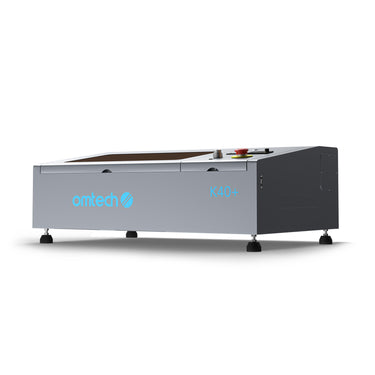 40W Desktop Laser Cutter with a 300x200mm Engraving Area | K40 Plus
£599.00
£1,199.99
Save£600.99
-12%
Deal
 55W CO2 Polar Lite Desktop Laser Cutter and Engraver with 500x300 mm Engraving Area and Autofocus | Polar Lite
£2,199.00
£2,499.00
Save£300.00
-32%
Pre-order Deal
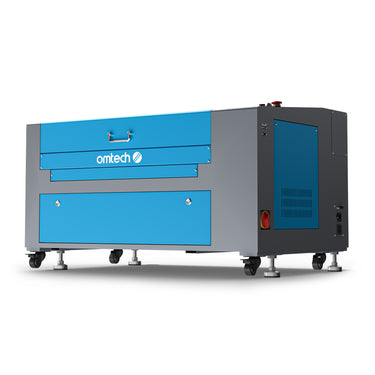 60W CO2 Laser Cutter and Engraver with 600x400mm Engraving Area | Turbo-646
£1,799.00
£2,639.99
Save£840.99
-36%
Deal
 60W CO2 Laser Cutter and Engraver with 700x500mm Engraving Area | Turbo-756
£1,999.00
£3,119.99
Save£1,120.99
-19%
Deal
 50W CO2 Laser Engraving Machine & Cutter with 500x300mm Engraving Area | Turbo-535
£1,599.00
£1,979.99
Save£380.99
-21%
Deal
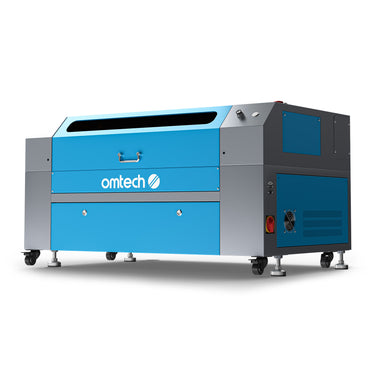 70W CO2 Laser Cutter and Engraver with 750 x 400mm Engraving Area and Autofocus | Turbo-747(Same Machine as YCR CutWorks))
£1,999.00
£2,519.99
Save£520.99
-22%
Deal
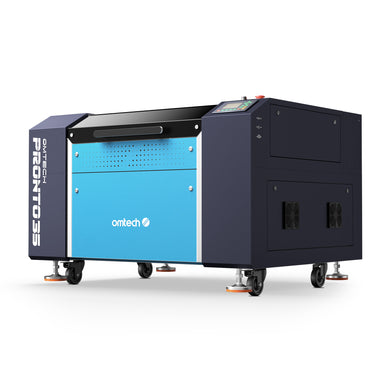 60W CO2 Laser Engraving Machine & Cutter with 700×500 mm Engraving Area and Autofocus| Pronto-35S
£3,499.00
£4,499.99
Save£1,000.99
-48%
Sold out
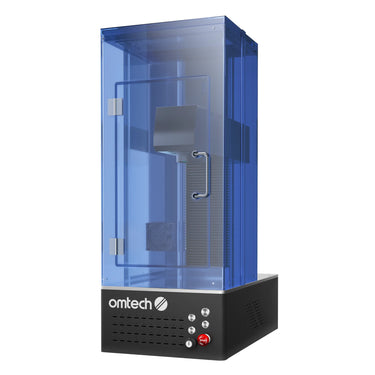 20W Galvo Fibre Laser Marking Machine with Autofocus | F20C
£1,699.99
£3,239.99
Save£1,540.00
-47%
Sold out
20W MOPA Fibre Laser Marking Machine with Autofocus | M20C
£2,499.98
£4,679.99
Save£2,180.01
-26%
Sold out
Save£1,080.00
30W Galvo Fibre Laser Marking Machine with Autofocus | F30C
£3,119.99
£4,199.99
Save£1,080.00
-25%
Sold out
Save£1,440.00
30W MOPA Fibre Laser Marking Machine with Autofocus | M30C
£4,319.99
£5,759.99
Save£1,440.00
Back
No product selected
Price
Price
[[checkedProductInfoList1[item]?checkedProductInfoList1[item].price:'']]
Laser Type
Laser Type
[[checkedProductInfoList1[item]?checkedProductInfoList1[item].meta.lasertyp:'']]
Laser Power
Laser Power
[[checkedProductInfoList1[item]?checkedProductInfoList1[item].meta.laserleistung:'']]
Processing Area
Processing Area
[[checkedProductInfoList1[item]?checkedProductInfoList1[item].meta.bearbeitungsfl_che:'']]
Loading Area
Loading Area
[[checkedProductInfoList1[item]?checkedProductInfoList1[item].meta.ladefl_che:'']]
Laserable Materials
Laserable Materials
[[ (checkedProductInfoList1[item] && checkedProductInfoList1[item].meta.laserbare_materialien) ?
JSON.parse(checkedProductInfoList1[item].meta.laserbare_materialien).join('; ') : '' ]]
Laser Class
Laser Class
[[checkedProductInfoList1[item]?checkedProductInfoList1[item].meta.laserklasse:'']]
Focus Mode
Focus Mode
[[checkedProductInfoList1[item]?checkedProductInfoList1[item].meta.fokusmodus:'']]
Max Engraving Speed
Max Engraving Speed
[[checkedProductInfoList1[item]?checkedProductInfoList1[item].meta.max_gravurgeschwindigkeit:'']]
LightBurn Compatibility
LightBurn Compatibility
[[checkedProductInfoList1[item]?checkedProductInfoList1[item].meta.lightburn_kompatibilit_t:'']]
Compatible OS
Compatible OS
[[ (checkedProductInfoList1[item] && checkedProductInfoList1[item].meta.kompatible_os) ?
JSON.parse(checkedProductInfoList1[item].meta.kompatible_os).join('; ') : '' ]]
Work Table
Work Table
[[ (checkedProductInfoList1[item] && checkedProductInfoList1[item].meta.arbeitstisch) ?
JSON.parse(checkedProductInfoList1[item].meta.arbeitstisch).join('; ') : '' ]]
Rotary Compatibility
Rotary Compatibility
[[checkedProductInfoList1[item]?checkedProductInfoList1[item].meta.drehachse_kompatibilit_t:'']]
Passthrough
Passthrough
[[checkedProductInfoList1[item]?checkedProductInfoList1[item].meta.durchreiche:'']]
Max. Workpiece Height
Max. Workpiece Height
[[checkedProductInfoList1[item]?checkedProductInfoList1[item].meta.max_werkst_ckh_he:'']]
Laser Tube Lifespan
Laser Tube Lifespan
[[checkedProductInfoList1[item]?checkedProductInfoList1[item].meta.lebensdauer_der_laserr_hre:'']]
Data Transmission
Data Transmission
[[ (checkedProductInfoList1[item] && checkedProductInfoList1[item].meta.daten_bertragung) ?
JSON.parse(checkedProductInfoList1[item].meta.daten_bertragung).join('; ') : '' ]]
Net Weight
Net Weight
[[checkedProductInfoList1[item]?checkedProductInfoList1[item].meta.nettogewicht:'']]
Dimensions
Dimensions
[[checkedProductInfoList1[item]?checkedProductInfoList1[item].meta.abmessungen:'']]
Power Supply
Power Supply
[[checkedProductInfoList1[item]?checkedProductInfoList1[item].meta.energieversorgung:'']]


Share on


Share on


Share on


Share on


Share on


Share on


Share on


Share on


Share on


Share on


Share on
Customer reviews
S
Sarah Johnson
The K40 Plus is a smart entry point for schools that want students to learn the basics of laser engraving without starting with an oversized machine. The 300×200 mm work area keeps projects manageable, while the Class 1 design and LightBurn compatibility make it much easier for teachers to integrate into a structured classroom workflow.
2026-04-10
M
Michael Chen
For design and technology departments, the Turbo-535 feels like a good balance between capability and simplicity. Its 500×300 mm bed gives students enough room for real coursework projects in wood, acrylic, and other classroom materials, without taking up the space of a much larger lab machine.
2026-04-08
E
Emma Williams
The Turbo-646 stands out as a practical option for departments that need more than a starter machine. The 600×400 mm working area and 600 mm/s engraving speed make it suitable for repeated student assignments, prototype iterations, and shared use across multiple classes.
2026-04-05
D
David Martinez
The Turbo-756 is a strong fit for schools or labs that need extra bed size for signage, architectural model parts, or larger research fixtures. It gives students room to work on more ambitious projects without immediately jumping to an industrial-scale footprint.
2026-04-03
L
Lisa Anderson
The Polar Lite looks well suited to modern maker spaces and innovation labs. With autofocus, dual rotary-axis support, a 500×300 mm work area, and LightBurn compatibility, it feels like a machine that can support both beginner instruction and more creative student-led projects.
2026-04-01
J
James Taylor
The 20W MOPA fibre laser is especially interesting for research and engineering education. A Class 1 design, autofocus, and a dedicated 150×150 mm marking area make it a sensible choice for teaching precise metal marking, component identification, and advanced material-focused coursework.
2026-03-28
Top Laser Engravers
Top Laser Engravers

Top Laser Engravers for Schools: Safe, Capable Machines for Today’s Classrooms
Explore the best OMTech laser engravers for classroom use. Safe, powerful, and budget-friendly options ideal for STEM labs, makerspaces, art rooms, and tech programs.
Dec 13, 2025
Read more

User Story: How a Retired Teacher Is Empowering Students with an OMTech Laser Engraver
One of Jack’s most impactful contributions came when he purchased and donated an OMTech laser engraver to a local school, giving students access to digital fabrication technology.
Mar 16, 2026
Read more

Personalize Your School Supplies with Laser Engraving Machines
When a new school year begins, everyone wants items that show who they are. From engraved notebooks to custom bottles, laser engraving has become a fun and modern way to make school supplies unique. With a desktop laser cutter or a Desktop CO₂ Laser Engraver, you can design and create personalised items that stand out.
This article explains what laser engraving is, the main types of engraving machines, creative project ideas for school supplies, and highlight the key advantages of using laser engraving in schools.
What Is Laser Engraving Technology?
Laser engraving uses a focused laser beam to mark or cut the surface of a material. The beam removes a thin layer, leaving a clean and permanent design. This method is very accurate and works well for detailed patterns or text.
It is used in many industries — from art and crafts to manufacturing and education. For schools, it opens up endless creative opportunities. Students can use a desktop laser cutter at home or in a makerspace to engrave their names, designs, or school logos on everyday items.
Types of Laser Engraving Machines
There are several types of engraving machines. Each works differently and suits specific materials. Knowing their differences helps you pick the right one for your needs.
1. CO2 Laser Engraver
A Desktop CO2 Laser Engraver is the most popular choice for schools and small businesses. It is user-friendly, efficient, and great for non-metal materials like wood, leather, paper, and fabric. Its precision allows students to make personalized crafts, engraved name tags, or wooden organisers.
2. Fiber Laser Engraver
A fibre laser engraver is powerful and designed mainly for metal. It can create precise engravings on steel, aluminium, or other hard materials. While it’s not needed for most school projects, it’s perfect for customising metal pens or reusable water bottles.
3. Diode Laser Engraver
This is a smaller and more affordable option. It works well on light materials like wood, cork, or leather. A diode laser engraver is great for classroom demonstrations or beginner projects because it’s easy to handle and safe to use.
Each type of engraver allows students to explore laser engraving ideas for creative and practical school supplies.
Creative Laser Engraving Ideas for School Supplies
Let’s look at ten simple and fun ways to use a laser engraver for your back-to-school projects. These ideas make your everyday items more personal and enjoyable.
1. Personalized Pencil Cases
Engrave your name, initials, or a favourite quote on a wooden or leather pencil case. It’s an easy way to make your stationery stand out.
2. Customized Notebooks
With a Desktop CO₂ Laser Engraver, you can engrave covers made from wood, cardboard, or leather. Add school logos, subjects, or patterns to make them special.
3. Laser-Engraved Water Bottles
Mark your name or simple icons on stainless steel or plastic bottles. This helps avoid mix-ups at school and gives your bottle a stylish look.
4. Wooden Rulers with Engraved Names
Engrave your name or class information on a ruler. Add inspiring words like “Keep learning” or “Stay curious.” It’s practical and creative.
5. Keychains and Bag Tags
Cut and engrave keyrings in fun shapes such as stars, letters, or animals. They can also double as bag name tags — useful and decorative.
6. Engraved Lunch Boxes
Make your lunch box unique with engraved patterns or funny quotes. It’s a great way to keep things organised and avoid confusion in shared spaces.
7. Classroom Door Signs
Teachers can use a laser engraver to create elegant wooden or acrylic signs. Add names, subjects, or welcoming messages to brighten the classroom.
8. Student Awards and Certificates
Engraved plaques or acrylic trophies are perfect for celebrating student achievements. They look professional and last much longer than paper certificates.
9. Laser-Cut Bookmarks
Design bookmarks from thin wood, acrylic, or leather. Engrave your name or favourite quote — a small item that makes reading more enjoyable.
10. School Projects and Art Models
Students can use a laser cutter to build precise models for art or science classes. It creates clean edges and accurate shapes, making projects look polished.
These laser engraving ideas are simple but meaningful. They encourage creativity and help students express their individuality through design.
Advantages of Laser Engraving for School Projects
Laser engraving offers several benefits for students, teachers, and schools.
1.Precision and Detail
A laser can engrave fine details and small text with accuracy. It’s perfect for logos, names, or complex designs.
2.Long-Lasting Results
Unlike stickers or printed labels, laser engravings don’t fade or peel. The markings remain clear even with daily use.
3. Creative Freedom
Students can experiment with different materials and shapes. A desktop laser cutter encourages problem-solving and artistic expression.
4. Time and Cost Efficiency
Once you have a design, the engraving process takes only a few minutes. Schools can use a single machine for various projects across departments.
5. Eco-Friendly Process
Laser engraving doesn’t require ink, paint, or chemicals. It’s a clean, low-waste, and environmentally friendly process.
How Laser Engraving Inspires Students
Laser engraving is more than just a craft. It helps students develop creativity, technical skills, and confidence. Working with a Desktop CO₂ Laser Engraver allows them to see how digital design turns into a real object.
In a school makerspace or art class, students can experiment with design software, test different materials, and refine their ideas. This hands-on learning builds patience, precision, and problem-solving skills. It also introduces them to modern technology used in engineering and design industries.
Teachers can use laser engraving for group projects, art competitions, or classroom displays. The process encourages teamwork and innovation. Seeing their digital designs come to life gives students a sense of pride and ownership in their work.
Conclusion
Laser engraving is more than a decorating method — it’s a tool for creativity and learning. Whether you’re personalising a pencil case, designing a sign, or building a school project, a desktop laser cutter makes it easy to create something unique.
Personalised supplies make studying more enjoyable and organised. They also help students build confidence and creativity through design.
As laser technology becomes easier to access, having a desktop CO₂ laser engraver at home or school can open endless opportunities. From small DIY projects to full classroom activities, it lets students learn, create, and innovate — one engraved idea at a time.
Oct 22, 2025
Read more


FAQ
Yes, provided that the machines are used under proper supervision and according to safety guidelines. For educational settings, Class 1 laser machines are especially suitable because they are designed with enclosed protection to support safer day-to-day classroom use. It is also important to choose equipment with user-friendly controls and to establish clear procedures for setup, operation, and maintenance.
These machines are suitable for a wide range of educational environments, including secondary schools, colleges, universities, maker spaces, design studios, engineering departments, and research labs. Smaller machines are often ideal for entry-level teaching, while larger or more advanced systems can support prototyping, technical coursework, and lab-based fabrication.
For beginners, a compact and easy-to-manage machine is usually the best starting point. Schools often prefer models that are simple to operate, compatible with widely used software, and suitable for smaller classroom projects before moving on to larger systems.
Students commonly work with materials such as wood, acrylic, cardboard, paper, leather, rubber, and certain coated or approved materials for engraving and cutting. For metal marking or more technical applications, fibre or MOPA systems may be a better fit depending on the curriculum.
Absolutely. Laser machines can support a wide range of STEM and design applications, from model making and product design to engineering prototypes, signage, lab labeling, and interdisciplinary creative projects.
Yes. Many schools and universities need equipment that can serve both instructional and research purposes. Depending on the machine type, they can support classroom learning, prototype development, sample marking, project fabrication, and lab-based experimentation.
Not necessarily. Many students can begin with basic projects after a proper introduction. The learning curve is much smoother when the machine is paired with intuitive software, clear material settings, and teacher-led instruction.
That depends on the type of projects being produced. Smaller work areas are often enough for introductory lessons, tags, small models, and student exercises, while larger beds are more suitable for signage, architectural parts, engineering components, or batch classroom production.
A CO2 laser is generally better suited to non-metal materials such as wood, acrylic, paper, and leather, making it ideal for general classroom creativity and fabrication. A fibre laser is usually chosen for metal marking, identification, and more technical industrial-style applications.
Schools should consider available space, ventilation, power requirements, supervision, intended materials, training plans, and how the machine will fit into the curriculum. It is also important to think about how often the machine will be used and by how many students.
Yes. Laser machines are especially effective for project-based learning because they allow students to turn digital ideas into physical outcomes. This makes them valuable for teaching creativity, design thinking, practical problem-solving, and hands-on technical skills.
A laser machine gives students and educators a practical way to move from concept to creation. It supports hands-on learning, strengthens technical teaching, expands project possibilities, and helps institutions build more modern, capability-driven learning environments.


