





Sort by:
-53%

Deal
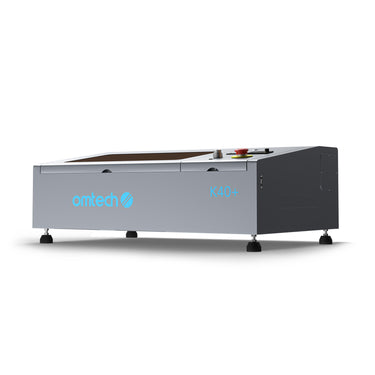
£569.99
£1,199.99
Save£630.00
-47%
Sold out
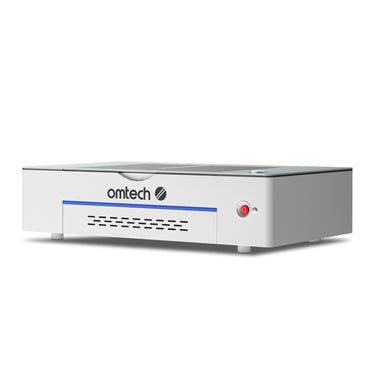
£1,799.99
£3,400.00
Save£1,600.01
-13%
Deal

£1,900.00
£2,179.99
Save£279.99
Products compare
Clear all
compare(
0
)
Compare(
0
)
Back
No product selected
Price
Price
[[checkedProductInfoList1[item]?checkedProductInfoList1[item].price:'']]
Laser Type
Laser Type
[[checkedProductInfoList1[item]?checkedProductInfoList1[item].meta.lasertyp:'']]
Laser Power
Laser Power
[[checkedProductInfoList1[item]?checkedProductInfoList1[item].meta.laserleistung:'']]
Processing Area
Processing Area
[[checkedProductInfoList1[item]?checkedProductInfoList1[item].meta.bearbeitungsfl_che:'']]
Loading Area
Loading Area
[[checkedProductInfoList1[item]?checkedProductInfoList1[item].meta.ladefl_che:'']]
Laserable Materials
Laserable Materials
[[ (checkedProductInfoList1[item] && checkedProductInfoList1[item].meta.laserbare_materialien) ?
JSON.parse(checkedProductInfoList1[item].meta.laserbare_materialien).join('; ') : '' ]]
Laser Class
Laser Class
[[checkedProductInfoList1[item]?checkedProductInfoList1[item].meta.laserklasse:'']]
Focus Mode
Focus Mode
[[checkedProductInfoList1[item]?checkedProductInfoList1[item].meta.fokusmodus:'']]
Max Engraving Speed
Max Engraving Speed
[[checkedProductInfoList1[item]?checkedProductInfoList1[item].meta.max_gravurgeschwindigkeit:'']]
LightBurn Compatibility
LightBurn Compatibility
[[checkedProductInfoList1[item]?checkedProductInfoList1[item].meta.lightburn_kompatibilit_t:'']]
Compatible OS
Compatible OS
[[ (checkedProductInfoList1[item] && checkedProductInfoList1[item].meta.kompatible_os) ?
JSON.parse(checkedProductInfoList1[item].meta.kompatible_os).join('; ') : '' ]]
Work Table
Work Table
[[ (checkedProductInfoList1[item] && checkedProductInfoList1[item].meta.arbeitstisch) ?
JSON.parse(checkedProductInfoList1[item].meta.arbeitstisch).join('; ') : '' ]]
Rotary Compatibility
Rotary Compatibility
[[checkedProductInfoList1[item]?checkedProductInfoList1[item].meta.drehachse_kompatibilit_t:'']]
Passthrough
Passthrough
[[checkedProductInfoList1[item]?checkedProductInfoList1[item].meta.durchreiche:'']]
Max. Workpiece Height
Max. Workpiece Height
[[checkedProductInfoList1[item]?checkedProductInfoList1[item].meta.max_werkst_ckh_he:'']]
Laser Tube Lifespan
Laser Tube Lifespan
[[checkedProductInfoList1[item]?checkedProductInfoList1[item].meta.lebensdauer_der_laserr_hre:'']]
Data Transmission
Data Transmission
[[ (checkedProductInfoList1[item] && checkedProductInfoList1[item].meta.daten_bertragung) ?
JSON.parse(checkedProductInfoList1[item].meta.daten_bertragung).join('; ') : '' ]]
Net Weight
Net Weight
[[checkedProductInfoList1[item]?checkedProductInfoList1[item].meta.nettogewicht:'']]
Dimensions
Dimensions
[[checkedProductInfoList1[item]?checkedProductInfoList1[item].meta.abmessungen:'']]
Power Supply
Power Supply
[[checkedProductInfoList1[item]?checkedProductInfoList1[item].meta.energieversorgung:'']]


Share on


Share on


Share on


Share on


Share on


Share on


Share on


Share on


Share on


Share on


Share on
Customer reviews
S
Sarah Johnson
I was looking for a compact laser that wouldn’t take over my whole workshop, and this desktop range fits that need really well. It gives me enough working area for signs, gifts, and small batch jobs without feeling like a stripped-down machine.
2026-04-10
M
Michael Chen
What stood out to me most is how beginner-friendly these machines feel. LightBurn compatibility makes the learning curve much easier, especially if you want to go from simple engraving to more polished projects without changing software later.
2026-04-08
E
Emma Williams
The K40 Plus is a solid choice if you want an affordable entry point but still care about useful features. The adjustable mirrors and adjustable laser head make it feel more practical than many low-cost starter machines.
2026-04-05
D
David Martinez
I like that the Polar Lite offers a larger 500 × 300 mm work area in a desktop format. That extra space makes a real difference when you want to run wider acrylic pieces or fit multiple items in one pass.
2026-04-03
L
Lisa Anderson
Polar Lite feels like a smart middle ground for users who want a modern desktop machine without jumping straight into a larger system. The autofocus is especially useful if you switch materials often and want quicker setup between jobs.
2026-04-01
J
James Taylor
I also like that the range is positioned for both creative users and small businesses. That feels accurate—these machines are compact enough for a studio or home setup, but capable enough to produce saleable work on wood, acrylic, and leather.
2026-03-28
Top Laser Engravers
Top Laser Engravers

The Best Desktop Laser Engraver Machine for Beginners
What is Laser Engraving?
Laser engraving is a form of design that utilizes a small laser to create permanent marks on a material's surface. Laser engraving machines were once out of reach for the average consumer because of their size and price tag. Thanks to technological advancements, however, desktop laser engravers are now widely available to crafters, hobbyists, and small businesses.
The laser precisely engraves onto the surface of a product, melting where it touches to leave a permanent mark. Depending on the color of the material, a laser leaves a white, gray, or black mark during the engraving process. Due to this science, desktop laser engraver users are enabled to produce wonderful designs for family and friends, and potentially scale into a successful laser business.
What is the Best Desktop Laser Engraver?
With dozens of laser engraver brands on the market at varying price points, it can be overwhelming to choose one that’s right for you. The OMTech Desktop Laser Engraver is simple enough for any newcomer and robust for professionals who seek a high-quality finished product.
Although our business is only a year old, our team spent ten years in the industry before launching OMTech in 2020. Our goal was to create a stand-alone brand that sets itself apart from the competition. We strive to take the pain points we dealt with through other brands and tackle those issues head-on — ensuring you get the best product and customer experience possible.
Aside from our desktop engravers, we also offer 50-150W CO2 laser machines and Fiber Laser Markers for small businesses that need a little more power and capability. All of our machines are housed in U.S. based warehouses. Our customer service —also based in the United States — can provide help via email, over the phone, or through a Virtual Technical Support session online.
Specialized Laser Machine Features
Compact but powerful: The OMTech Desktop Model is easy to understand and powerful enough to complete a variety of projects.
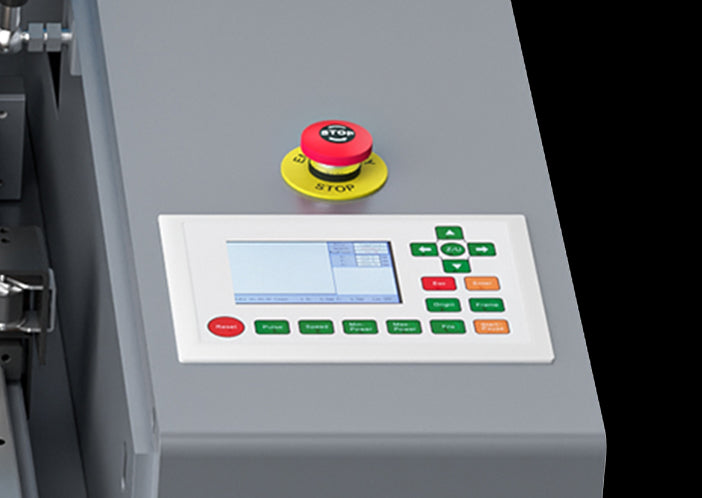
Digital temperature control: The LCD screen ensures you always know your laser supply and the temperature of your cooling water.
Guidance: Each machine has a red dot pointer that aligns with engraving points to ensure an accurate setup the first time.
Stabilizer clamp: Each machine is equipped to hold irregular shapes in place while a level board with vents ensures that full-sized products also receive accurate engraving.
Ventilation: The fan on your OMTech desktop engraver has an exhaust port to improve ventilation and laser performance while simultaneously reducing noise.
Emergency stop: When needed, you can stop your engraver by pressing a single button.
Affordability
Laser engravers can cost as little as $200 and upwards of $10,000. Our 40W Desktop laser engraver model, DF0812-40BG, costs $529.99 for a convenient 8x12 inch engraving area. Also referred to as a K40 laser cutter, this machine gives you quality engravings every time at an affordable cost.
Portability
The OMTech desktop laser engraver measures 32” x 20” x 10”, making it easy to move from room to room or a completely new location. It has four removable wheels so you can roll your machine around if needed.
When you do move or store your desktop laser engraver, ensure that it remains flat and in a temperature-controlled environment for best keeping. K40 laser cutters are known for their portability, but you should be very careful when moving them, as the laser beam alignment can be thrown off in transit.
Ease of Use
With a control board on top of the machine, it’s easy to set up your project with the correct settings and proper execution.
You can also refer to the manual for best practices, including:
Use an engraving speed between 100-255 millimeters per second.
Use a cutting speed between 1–20 millimeters per second, depending on the material.
Set the focal lens diameter to 12 millimeters.
Set the focal distance to two inches.
Set the mirror diameter to 20 millimeters.
Have the resolution set up to 1500 dots per inch (DPI).
Use the standard Z-depth (workspace height) of 0.5 inches when the vented level board is installed.
Use the maximum Z-depth (workspace height) of 2.5 inches when the vented level board is removed.
Reliability
When you invest in an OMTech desktop laser engraver, you know that it will last. We include the specs for varying degrees of use so that you know what to expect.
For example, the estimated life for our 40W CO2 laser tube is 2,000 operating hours. This number depends on the power setting you use and the water-cooling performance.
For frequent use, you can expect:
Low Power: 10–40% equals between 1,500 and 2,000 hours
Moderate Power: 40–70% equals between 1,000 and 1,200 hours
High Power: 70–100% equals between 400 and 600 hours
Our machines each meet specific quality standards, including:
Compliance with FDA guidelines
CE certification
ISO9001 quality certification
Plus, we offer a two-year machine warranty on all of our OMTech models. Your 40W laser tube and power supply also have a six-month warranty.
Compatibility
Our desktop laser engravers are primarily used on products made of:
Acrylic
Cardboard and other stiff paper
Fabric
Fiberglass
Glass
Granite
Leather
Marble
River rock
Rubber
Stone or brick
Tile
Wood
If there’s a material you want to engrave but it isn’t listed here, give us a call. Our team can test the material using one of our engravers to let you know if it’s compatible and what settings we recommend for best results.
How Do I Get Started with Laser Engraving?
Once you purchase your OMTech desktop engraver, read the instructions and complete the easy setup steps.
If you need help getting your settings right or using the engraver for the first time, we can walk you through how to set it up over the phone. Your purchase includes a free 45-minute virtual consultation, so you can also talk to us online for assistance.
Get Inspired
If you're looking for inspiration for your own projects, follow our partner, Scott Couch, on Instagram to see how he is using his OMTech desktop laser engraver for unique projects. He shares videos of his machine setup, the engraving process, and his finished products.
Takeaways
If you already have a woodworking, leatherworking, or other similar business, enhance your offerings with the OMTech Desktop engraver. If you’re a hobbyist or DIYer, you can produce cleaner designs and have a faster turnaround with an engraver.
If you live in the lower 48 states, you’ll receive free shipping on your order.
Plus, each machine comes with everything you need to get started:
Laser engraver machine
Instruction manual
Water pump
Power cord
Grounding cable
Four locking caster wheels
Venting exhaust duct
USB flash drive with accompanying software
USB key
USB type-B to type-A cable
One package of double-sided tape
Stainless steel clamp
One 7-millimeter acrylic focus tool
Check out our different engraving machine options today to find the perfect fit for your craft, hobby, or small or home business.
Jun 15, 2022
Read more

The Best Laser Engraver for Beginners
Finding the Best Beginner Laser Engraver
Equal parts artistic and technical, laser engraving places incredible creative powers at your fingertips. The endless possibilities of using a thin but potent laser beam to engrave custom artwork on popular products are justifiably captivating. Laser engraving dates as far back as the computer you’re reading this on. Nowadays, lasers are fast becoming the innovative method for marking and engraving rather than traditional techniques. For laser engraving to take place, a laser beam hits the surface of a material and vaporizes the top layer of the surface while adding the intended design with a great contrast.
As simple as the process sounds, laser engraving for beginners could go all wrong without the best beginner laser cutter. In fact, the best laser engraver for beginners should be user-friendly and easy to use with a simple structure and design. As a beginner, you would find that many entry-level laser engraving machines exist in the market with varying prices and capabilities. During your search, you may also have come across the term Chinese laser, which refers to laser machines made in China. With some stigmas surrounding the name, these machines can actually be the best starter laser cutter for beginners. In this article, we’ll summarize all you need to know to choose the best beginner laser cutter and engraver.
Starting out with a K40 Desktop Laser Engraver
K40 laser engravers are generally considered the most affordable and best laser engraver for beginners who have no prior experience handling a laser machine. K40 laser engravers are consistently the best-selling laser machines for home hobbyists and small businesses. This desktop laser engraving machine is known for its ease of accessibility and versatility in addition to its portability. These three factors mentioned earlier are very important features of a laser engraving machine for beginners. Its comprehensive user manual contains all information right from the point where you assemble the parts of your machine to where you fix minor issues that might come up while running the machine. OMTech, a laser company based in Anaheim, California, offers their popular 40W desktop laser engraver that produces flawless engravings and cuts up to 1/8” thick plywood and acrylic. This is one of the best laser engravers for beginners that would be easy to use and produce great results, yet remain affordable.
What is the best laser engraver for beginners?
Although the K40 desktop model is one of the best starter laser cutters for beginners, many users have recently voiced that they would have preferred a more powerful engraving machine with a larger workspace. Specifically, many wished they would have invested in a Mid-Range laser engraver of 50W or more. For some beginners, it comes down to the FOMO on having more power and space when choosing your first laser! Many others find that the extra power and workspace would have been critical to offering professional services. The reason for these preferences cannot be far-fetched as the Mid-Range laser engraver has even more professional advantages that could speed up your job and still produce great results while making your beginner experience fun.
The Mid-Range laser engraver is known for its efficient engraving speeds and considerable cutting capabilities. For OMTech’s Mid-Range series, the power ranges from 50W to 80W, and can effectively cut through 6 mm to 9 mm (.25" to .35") thick plywood and acrylic.
Here are some of the features that makes the Mid-Range (50W+) the best laser engraver for beginners:
Larger workspace
As a beginner in the world of laser engraving, having a larger working space means more convenience while working as you have more room to take on large workpieces. The OMTech MF1220-50 has a 11.5” x 19.5” (295 x 495mm) engraving/cutting area to tackle large-scale projects with ease. There’s enough space to see what you are doing and to place laser engraving accessories like laser rotary attachments in the workbed. These capabilities are critical to offering a wide range of professional services. So, if you have professional aspirations to start a small laser engraving business, consider a mid-range machine as the best laser engraver for beginners.
Higher power
Lower-wattage laser engravers have a hard time processing thicker and more dense materials, whereas a higher-powered system can finish the task quickly and efficiently. OMTech’s Mid-Range laser engraving machine has a higher wattage laser tube with greater cutting ability and longer laser tube lifetime. With an integrated power supply that features increased response speed, performance, and cutting power - it’s beaming with possibilities! Plus, depending on which wattage you choose, you’ll be able to cut between 6 mm (1/4″) and 9 mm (⅓”) thick acrylic and softwoods.
Better Control Interface
Laser engraving for beginners can be tough to learn. That’s why it’s imperative to choose a user-friendly machine. One of the distinctive features you would find on the mid-range series is the Ruida digital controller. It is an intuitive control panel with a digital display that allows complete control of the laser head, pausing and stopping projects, adjusting laser power and speed settings. Some other features include air-assist, adjustable laser nozzle, built-in ventilation and the red dot guidance. The Ruida controller is easy to use and it’s widely trusted by laser engraving veterans and small businesses throughout the laser community. Surely, this again qualifies the mid-range as the best laser engraver for beginners and best beginner laser cutter.
Safety Tips for Beginner Laser Engravers
Laser engraving is an exciting and rewarding skill to learn, but safety should always come first—especially for beginners. Understanding a few essential safety practices will help you protect yourself, your workspace, and your equipment while achieving consistent results.
1. Ensure Proper Ventilation
Laser engraving produces smoke, fumes, and fine particles, particularly when working with wood, acrylic, leather, or coated materials. Always use an effective exhaust system or place your machine near a window with proper ducting. Good ventilation not only improves air quality but also helps keep optics and components cleaner over time.
2. Wear Appropriate Eye Protection
Even enclosed laser engravers can emit reflected laser light. Wearing laser safety glasses designed for your machine’s wavelength adds an extra layer of protection, especially during setup, testing, or when the enclosure is open.
3. Never Leave the Machine Unattended
Laser engravers generate heat and can pose a fire risk if materials ignite. Beginners should always stay nearby while the machine is running and keep a fire extinguisher within reach. A few seconds of attention can prevent costly damage or accidents.
4. Choose Safe Materials Only
Not all materials are suitable for laser engraving. Certain plastics and treated materials can release toxic fumes when burned. Before engraving a new material, confirm that it is laser-safe and avoid unknown or unverified materials altogether.
5. Keep Your Workspace Clean
A tidy work area reduces fire hazards and improves engraving consistency. Regularly remove debris from the machine bed, clean residue from previous jobs, and ensure airflow paths are not blocked.
6. Follow Basic Maintenance and Setup Guidelines
Proper alignment, clean lenses, and correct focus settings help ensure smooth operation and reduce unnecessary strain on the machine. Beginners who follow routine maintenance steps often experience fewer issues and better engraving quality from the start.
Conclusion
With all said and done about the qualities of the best laser engraver for beginners, it is clear that you can never go wrong by buying a bigger machine. This is especially true when you have future plans to go pro with the laser engraving business. As you start your journey, the right laser engraving machine would help you grow and hone your skill on your way to the top. In essence, do not purchase a laser engraver with only the present in mind, bear in mind the possibility of someday turning your passion into profit. OMTech manufactures quality laser machines with top-notch features and value for money spent. As you launch your business with OMTech, reach out to them for all you need to get started on the right track.
Frequently Asked Questions
What is the best laser engraver for beginners?
The best laser engraver for beginners is one that is easy to set up, safe to use, and versatile enough for common materials like wood, acrylic, leather, and rubber. Entry-level CO₂ laser engraving machines are often recommended because they balance performance, affordability, and user-friendly operation.
Is a laser engraver the same as a laser cutting machine?
Not exactly. A laser engraver is designed primarily for marking and engraving surfaces, while a laser cutting machine is optimised for cutting through materials. However, many modern laser engraving machines can both engrave and cut, making them ideal for beginners and small workshops.
What materials can beginners work with using a laser engraving machine?
Beginners can comfortably work with wood, MDF, acrylic, leather, paper, and rubber. CO₂ laser machines are especially popular for these materials, while fibre lasers are more suitable for engraving bare metals.
Are laser engravers suitable for small businesses?
Yes. Many beginners start with a laser engraver and quickly turn it into a profitable tool. Compact machines are often considered the best laser cutter for small business use, as they support custom products, signage, gifts, and light production without requiring industrial space.
How much maintenance does a beginner laser engraver require?
Basic maintenance includes cleaning lenses and mirrors, checking alignment, ensuring proper ventilation, and monitoring cooling systems. Beginner-friendly laser engraving machines are designed to keep maintenance simple and manageable.
Is it difficult to learn laser engraving?
Not at all. With intuitive software and plenty of tutorials available, most beginners can start engraving within a few hours. Learning curves are generally gentle, especially with modern laser engravers designed for first-time users.
Jun 16, 2022
Read more

Top Laser Engravers for Schools: Safe, Capable Machines for Today’s Classrooms
Explore the best OMTech laser engravers for classroom use. Safe, powerful, and budget-friendly options ideal for STEM labs, makerspaces, art rooms, and tech programs.
Dec 13, 2025
Read more


FAQ
Yes, a CO2 laser is excellent for engraving. It’s one of the most popular and versatile types of lasers used for engraving because of its ability to produce highly detailed, clean, and precise results on a wide range of non-metal materials.
CO2 laser is better for creatives, crafters, and general-purpose engraving/cutting on non-metal materials. Fiber laser is better for industrial users or anyone working primarily with metals.
Proper maintenance of your OMTech CO2 laser engraver involves regular cleaning of the lens and mirrors, checking and replacing the laser tube as needed, and ensuring the cooling system is functioning correctly. Following the manufacturer's maintenance guidelines will help prolong the life of your machine and ensure consistent performance.
Yes, OMTech CO2 laser engravers are available in various sizes and configurations to accommodate both small and large projects. With a range of working areas and customizable features, you can choose a model that fits your project's scale and complexity.
OMTech CO2 laser engravers are designed to meet the demands of both hobbyists and industrial applications. Their robust construction, high precision, and powerful performance make them suitable for professional use, including high-volume production and intricate engraving tasks.
An OMTech laser engraver can run anywhere from £1949.99 to £7999.99.
Yes! Buying a laser engraving machine opens up many possibilities for hobbyists and small business owners. Gain access to cutting and engraving materials like wood, paper, leather, plastic, and more!
Yes, you'll need a computer to use a laser engraver.
Why Should I Consider an OMTech Desktop Laser Engraver?
An OMTech desktop laser engraver offers an ideal solution for hobbyists, small business owners, and educational institutions who seek precision and efficiency in engraving and cutting projects. These compact and easy-to-use machines provide professional-level performance in a space-saving format, making them a ideal choice for people looking to create high-quality, custom designs without the need for large, industrial-scale equipment.
An OMTech desktop laser engraver offers an ideal solution for hobbyists, small business owners, and educational institutions who seek precision and efficiency in engraving and cutting projects. These compact and easy-to-use machines provide professional-level performance in a space-saving format, making them a ideal choice for people looking to create high-quality, custom designs without the need for large, industrial-scale equipment.
What Types of Desktop Laser Machines Are Available in OMTech?
The OMTech desktop laser engraver collection offers several versatile models:
🔹 OMTech K40+
- Ideal for beginners and small businesses: The OMTech K40+ is a widely favored choice for those new to laser engraving, or users seeking an affordable yet reliable tool for small to medium projects. With 40W of power, this machine is great for engraving and cutting non-metal materials like wood, acrylic, and leather.
- Compact & precise: Its 300 × 200mm engraving area is perfect for personal projects, customizations, and small batch production.
🔹 OMTech Polar Series
- Advanced functionality for professionals: The OMTech Polar series includes more powerful models with 50W and 55W CO₂ laser engraving capabilities. These machines feature larger engraving areas and offer greater versatility for more intricate designs and larger-scale projects.
- Suitable for larger workloads: The OMTech Polar lasers are ideal for businesses or hobbyists who need faster engraving speeds and deeper material cuts.
The OMTech desktop laser engraver collection offers several versatile models:
🔹 OMTech K40+
- Ideal for beginners and small businesses: The OMTech K40+ is a widely favored choice for those new to laser engraving, or users seeking an affordable yet reliable tool for small to medium projects. With 40W of power, this machine is great for engraving and cutting non-metal materials like wood, acrylic, and leather.
- Compact & precise: Its 300 × 200mm engraving area is perfect for personal projects, customizations, and small batch production.
🔹 OMTech Polar Series
- Advanced functionality for professionals: The OMTech Polar series includes more powerful models with 50W and 55W CO₂ laser engraving capabilities. These machines feature larger engraving areas and offer greater versatility for more intricate designs and larger-scale projects.
- Suitable for larger workloads: The OMTech Polar lasers are ideal for businesses or hobbyists who need faster engraving speeds and deeper material cuts.
What Should I Consider Before Buying a Desktop Laser Engraving Machine?
When purchasing a desktop laser cutter, there are several factors to keep in mind to ensure that you select the right machine for your needs:
Power and Size of Engraving Area
- Power: If you're working with thicker materials or need faster cutting and deeper engraving, you may want a more powerful machine, such as the 50W or 55W models. However, the 40W K40+ is sufficient for lighter work with common materials like wood and acrylic.
- Engraving Area: Larger work areas, such as 500 × 300mm, offer more flexibility for bigger projects or batch production. Smaller work areas, such as the 300 × 200mm engraving size, are ideal for custom items or personal use.
Material Compatibility
- Consider which materials you'll primarily work with. If you plan to engrave or cut metals, you will need a fiber laser. For wood, acrylic, leather, and other non-metal materials, the OMTech K40+ or desktop laser cutters will suffice.
Software and Ease of Use
- OMTech laser machines are compatible with popular software such as LightBurn, LaserGRBL, and CorelDRAW, making them easy to integrate into your workflow. Ensure the machine works with the software you're familiar with.
- Some machines come with user-friendly software, perfect for beginners or users with limited technical experience.
Safety and Maintenance
- Laser machines, especially higher-powered ones, require proper ventilation and safety measures. Make sure you have adequate fume extraction and the necessary safety features in place, such as emergency stops and enclosed designs.
When purchasing a desktop laser cutter, there are several factors to keep in mind to ensure that you select the right machine for your needs:
Power and Size of Engraving Area
- Power: If you're working with thicker materials or need faster cutting and deeper engraving, you may want a more powerful machine, such as the 50W or 55W models. However, the 40W K40+ is sufficient for lighter work with common materials like wood and acrylic.
- Engraving Area: Larger work areas, such as 500 × 300mm, offer more flexibility for bigger projects or batch production. Smaller work areas, such as the 300 × 200mm engraving size, are ideal for custom items or personal use.
Material Compatibility
- Consider which materials you'll primarily work with. If you plan to engrave or cut metals, you will need a fiber laser. For wood, acrylic, leather, and other non-metal materials, the OMTech K40+ or desktop laser cutters will suffice.
Software and Ease of Use
- OMTech laser machines are compatible with popular software such as LightBurn, LaserGRBL, and CorelDRAW, making them easy to integrate into your workflow. Ensure the machine works with the software you're familiar with.
- Some machines come with user-friendly software, perfect for beginners or users with limited technical experience.
Safety and Maintenance
- Laser machines, especially higher-powered ones, require proper ventilation and safety measures. Make sure you have adequate fume extraction and the necessary safety features in place, such as emergency stops and enclosed designs.
What Are the Popular Products in the Collection?
Here are two of the most popular models in the OMTech desktop laser engraver collection:
- OMTech K40+ 40W Laser Cutter: Highly favored for its affordability, ease of use, and ability to handle wood, acrylic, and leather engraving and cutting. It's a popular choice among hobbyists and small business owners.
- OMTech Polar 50W Laser Engraving Machine: This is chosen by users who need more power and larger engraving areas for more complex projects.
Here are two of the most popular models in the OMTech desktop laser engraver collection:
- OMTech K40+ 40W Laser Cutter: Highly favored for its affordability, ease of use, and ability to handle wood, acrylic, and leather engraving and cutting. It's a popular choice among hobbyists and small business owners.
- OMTech Polar 50W Laser Engraving Machine: This is chosen by users who need more power and larger engraving areas for more complex projects.
Where and How Can I Use a Desktop Laser Engraving Machine?
An OMTech desktop laser engraver is incredibly versatile and can be used in many different environments:
🏢 Small Business Production
- Create custom gifts, signage, promotional products, and more.
- Marking industrial components, including serial numbers, logos, and barcodes with laser marking machines.
🎨 Creative Projects & Hobbyists
- DIY crafts, creating unique items such as home décor, gifts, artwork, and custom pieces for personal use.
- Engrave custom designs on wooden boards, leather bags, or acrylic displays.
🧑🏫 Educational Institutions & Makerspaces
- Used in classrooms, makerspaces, and community centers for teaching students about laser engraving technology, fabrication, and design.
- Rapid prototyping for design or engineering students.
🏠 Home Use
- Personalize everyday items like mugs, glasses, and home accessories.
- Hobbyist engravings for custom gifts or DIY home décor projects.
An OMTech desktop laser engraver is incredibly versatile and can be used in many different environments:
🏢 Small Business Production
- Create custom gifts, signage, promotional products, and more.
- Marking industrial components, including serial numbers, logos, and barcodes with laser marking machines.
🎨 Creative Projects & Hobbyists
- DIY crafts, creating unique items such as home décor, gifts, artwork, and custom pieces for personal use.
- Engrave custom designs on wooden boards, leather bags, or acrylic displays.
🧑🏫 Educational Institutions & Makerspaces
- Used in classrooms, makerspaces, and community centers for teaching students about laser engraving technology, fabrication, and design.
- Rapid prototyping for design or engineering students.
🏠 Home Use
- Personalize everyday items like mugs, glasses, and home accessories.
- Hobbyist engravings for custom gifts or DIY home décor projects.
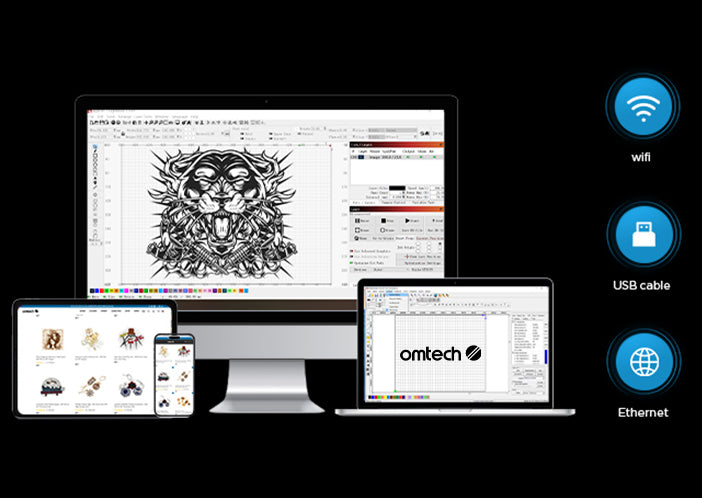
OMTech laser engravers seamlessly integrate with RDWorks, providing an intuitive interface and robust editing tools for precise design adjustments.
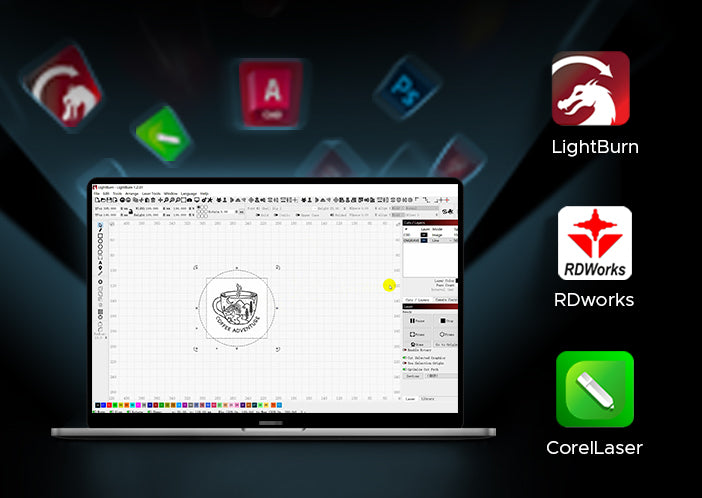
With support for LightBurn, users gain access to advanced control features, enabling detailed customization and efficient management of complex engraving tasks.
The compatibility with CorelDRAW allows for smooth import and creation of intricate vector designs, ensuring high-quality results for every project.
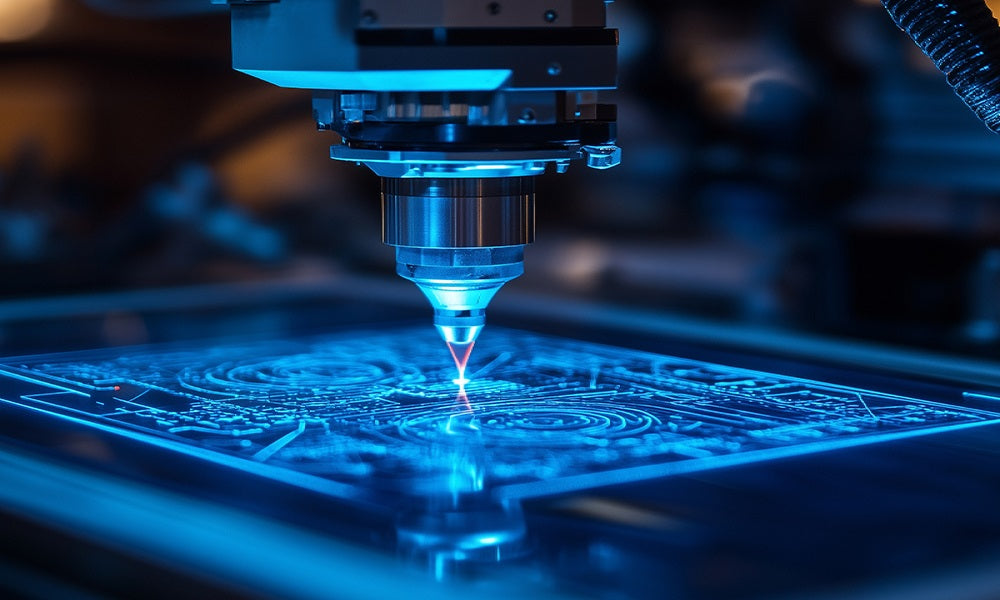
Test your material with a grid to find optimal settings; Allow time between large jobs to let your laser tube cool.
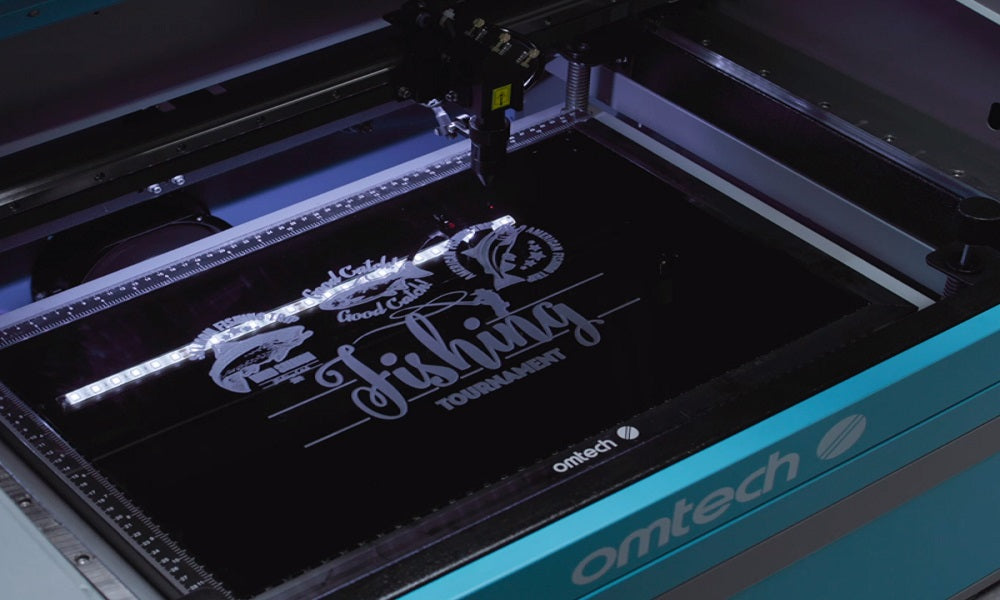
Whether you're launching a side hustle, making classroom projects, or just exploring your creative side, OMTech CO₂ Desktop Laser Engravers give you the power, control, and reliability you need
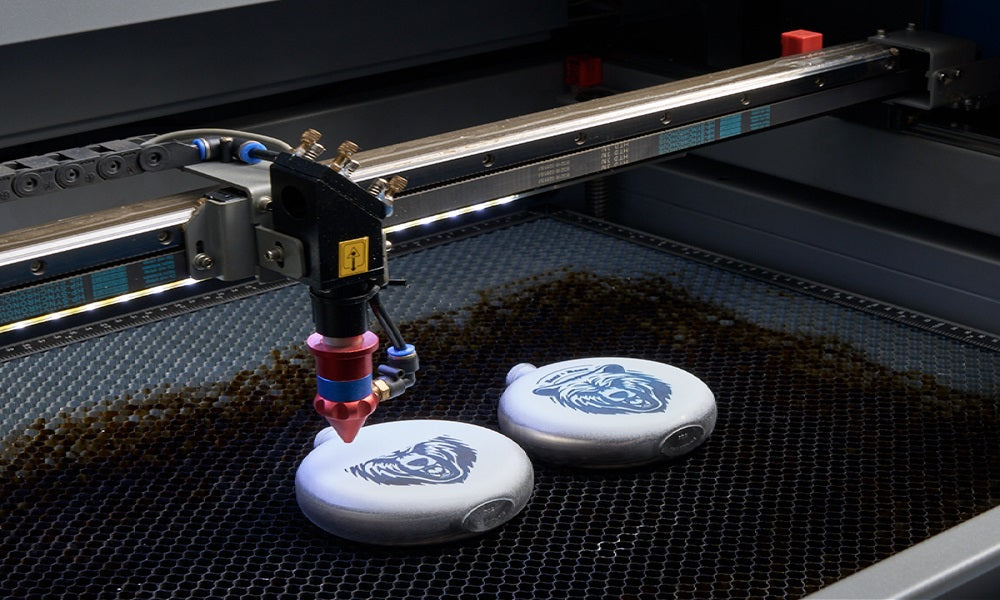
OMTech offers U.K.-based customer service, live technician support, and comprehensive tutorials to help you hit the ground running.


