How To Create Custom Wooden Christmas Ornaments With A Laser

Wooden Christmas ornaments offer a warm, handcrafted look that never goes out of style. From traditional holiday symbols to modern personalized keepsakes, they bring character and meaning to seasonal décor. Whether you’re decorating your own tree, making thoughtful gifts, or preparing products for holiday sales, laser engraving allows you to produce consistent, detailed ornaments with professional results.
This guide breaks down the full process of making wooden Christmas ornaments using a laser engraver—from choosing designs to cutting, engraving, and finishing. It’s ideal for hobbyists, educators, and small business owners looking to turn simple wood into memorable holiday pieces.
Why Laser Engraving Is Ideal For Wooden Ornaments
Compared to hand tools or traditional cutting methods, laser engraving provides major advantages when working with holiday designs:
- Exceptional Accuracy: Fine details and clean edges without manual carving
- Fast Turnaround: Easily produce multiple ornaments in one session
- Simple Customization: Add names, dates, or messages without extra setup
- Wide Design Range: Works equally well for classic and contemporary styles
A CO₂ laser engraver makes it possible to cut and engrave wood efficiently while keeping material waste and cleanup to a minimum.
Popular Design Ideas To Get Started

You don’t need complex graphics to create eye-catching ornaments. These design categories are easy to adapt and personalize:
Traditional Holiday Icons
- Snowflakes
- Reindeer
- Angels
- Christmas trees
- Nativity scenes
Personalized Holiday Keepsakes
- Family names or initials
- Year markers and milestones
- “First Christmas” ornaments
- Pet silhouettes with engraved names
Layered And Dimensional Looks
- Stacked wood layers for contrast
- Frame-style ornaments with floating text
- Slotted designs that add depth without glue
Text-Based Designs
- Script-style initials
- Seasonal words like “Joy,” “Peace,” or “Noel”
- Family names engraved in decorative fonts
Materials And Equipment Checklist
Before you begin, make sure you have the following:
- Wood sheets or blanks (basswood, birch plywood, maple, or walnut)
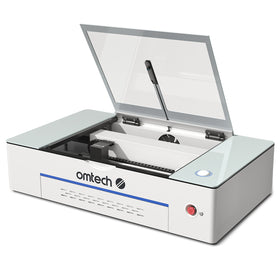
- A CO₂ laser engraver (like the Polar Lite)
- Design software such as LightBurn, Illustrator, or Inkscape
- Masking tape to reduce burn marks
- Fine-grit sandpaper
- Paint or wood stain (optional)
- Ribbon, twine, or hooks for hanging
Step-By-Step Guide To Laser Cutting Wooden Ornaments

Step 1: Choose Or Create A Design File
Start with a vector file in SVG, AI, DXF, or another laser-friendly format. You can design your own ornament or download ready-made files from online design libraries.
Step 2: Prepare The File In Your Laser Software
Import the file into your laser software and assign separate settings for engraving and cutting. Using color-coded layers helps ensure the correct order of operations.
Step 3: Secure And Prepare The Wood
Place the wood on the laser bed and secure it with magnets or pins. Apply masking tape to engraving areas to reduce scorching and cleanup afterward.
Suggested starting settings (adjust based on material):
- Engraving: 20–50% power at 300+ mm/s
- Cutting: 20–50% power at 20–40 mm/s for 3–6 mm wood
Always test on a small piece before running a full batch.
Step 4: Run The Laser
Once settings are confirmed, start the job. The laser will engrave first, then cut the ornament shape. Proper ventilation is essential during this step.
Step 5: Final Finishing
After cutting:
- Remove masking tape
- Lightly sand edges and surfaces
- Apply paint or stain if desired
- Attach ribbon or hanging hardware
Tips For Clean, Professional Results
- Increase engraving contrast to improve visibility
- Pre-stain wood for a two-tone engraving effect
- Arrange multiple ornaments on one sheet to save time
- Keep the work area clear of debris during cutting
Selecting The Right Wood
Different wood types produce different results. Here’s a quick overview:
| Wood Type | Best Qualities | Considerations |
|---|---|---|
| Basswood | Soft, engraves smoothly | May warp easily |
| Birch Plywood | Affordable and durable | Glue layers may show |
| Maple | Sharp engraving detail | Harder to cut |
| Walnut | Rich color contrast | Higher material cost |
For most projects, 1/8" (3 mm) thick wood provides the best balance between ease of cutting and durability.
Creating Ornaments With OMTech Laser Engravers

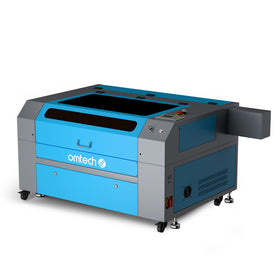
OMTech CO₂ laser engravers are well suited for ornament-making at home, in classrooms, or for small businesses. With LightBurn compatibility, dependable performance, and strong customer support, OMTech machines help makers move efficiently from concept to finished product.
Bring Your Holiday Projects To Life
Laser-cut wooden Christmas ornaments offer a creative and meaningful way to celebrate the season. With the right designs, materials, and laser setup, you can produce decorations and gifts that feel personal and last year after year.
Whether you’re crafting for loved ones, preparing for holiday markets, or teaching creative projects, now is the perfect time to start.
Ready to turn your ideas into custom wooden ornaments? Explore OMTech’s full range of laser engravers and start creating this holiday season.