How to DIY Laser Cut a Jewelry Box

A handmade jewelry box makes a thoughtful, memorable gift for weddings, anniversaries, and other meaningful moments. Using a laser engraver streamlines the whole process, giving you crisp edges, intricate patterns, and personalized accents with minimal effort.
This guide walks you through designing, cutting, and assembling a jewelry box from materials like wood or acrylic. You’ll discover where to find box templates, how to prepare your materials, and how to get clean, precise results from your laser machine.
1. Find or Create Your Box Design Files
You can start in one of two ways:
Use free templates
Websites such as Vecty or 3axis.co offer downloadable files for jewelry boxes or similar projects.
Design your own from scratch
Software like LightBurn or Adobe Illustrator lets you create custom pieces, perfect for unique shapes, engraving layouts, or multi-compartment designs.
Pro tip: Be sure to account for kerf, the small amount of material removed by the laser beam. Proper kerf compensation ensures snug, clean-fitting joints.
2. Select Your Materials

Wood such as birch, alder, or poplar offers a classic and inviting appearance. Pre-finished plywood tends to produce fewer burn marks and sands more easily.
Acrylic gives a sleek, contemporary look and works well with tab-and-slot construction. Just be sure to use an appropriate solvent adhesive (e.g., WELD-ON) to prevent clouding.
Material thickness matters: 3–6 mm (⅛"–¼") works best for small boxes. Always measure carefully and test-fit your parts during prototyping.
3. Prepare Materials and Set Up Your Laser
Apply painter’s tape to the surface edges of wood or acrylic to reduce scorching and improve surface quality.
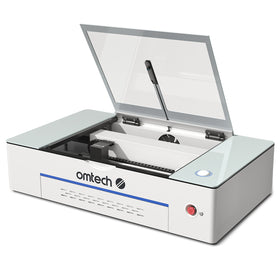
Here are example settings from an OMTech Polar+ 55W:
Engraving
Speed: 300 mm/s, Power: 40%
Cutting
Speed: 250 mm/s, Power: 35%
Always run tests on scrap material first to fine-tune your power and speed before committing to final cuts.
4. Cut the Box Components
Import your file into your laser software (e.g., LightBurn or RetinaEngrave).
Follow this cutting order:
- Engraving details (names, decorations, motifs)
- Internal cutouts, tabs, or slots
- Outer shapes and borders last
Arrange parts efficiently to reduce waste and make the most of your sheet material.
5. Assemble the Jewelry Box

Here’s the basic assembly process:
Dry-fit the parts
Check that all joints slide together smoothly without forcing or cracking.
Glue the structure
Use a small amount of wood glue for wooden boxes, or CA/solvent adhesive for acrylic builds. Clamp or weigh down the pieces until the adhesive cures.
Attach hinges and the lid
If your design includes a hinged lid or drawer front, install hardware at the end. Drill small pilot holes to ensure alignment.
Finish and polish
Smooth any burnt edges with light sanding.
- For wood: apply oil, stain, or varnish.
- For acrylic: use a plastic-safe cleaner or polish.
6. Tips for Personal Engravings
Use the engraving layer to add initials, a monogram, decorative artwork, or a logo. Double-check the artwork position before engraving—accurate placement is essential for a professional result.
7. Final Touches and Care
For wooden boxes, multiple coats of mineral or linseed oil create a warm, polished finish.
For acrylic boxes, avoid harsh chemicals. Wipe gently with a microfiber cloth to keep the material clear and glossy.
Why OMTech CO₂ Laser Engravers Work Well for This Project

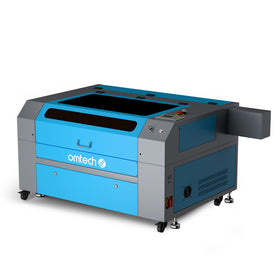
OMTech CO₂ engravers offer solid power and precision, making them excellent for small woodworking and acrylic projects. They support a wide range of materials, include intuitive software, and offer the accuracy needed for clean joints and crisp engraving details—perfect for crafting personalized, gift-ready boxes.
Final Thoughts
Designing and building your own jewelry box with a laser engraver opens the door to endless creative ideas—from heartfelt handmade gifts to custom storage solutions. With accessible box-design tools, flexible software, and versatile materials, crafting a beautiful, functional piece has never been easier.
Ready to start? Explore OMTech laser engravers and bring your next custom box project to life with precision and style.