Choosing a CO2 Laser For Glass Etching and/or Engraving: What To Look For
When choosing a CO2 laser engraving machine specifically for glass engraving and etching, it is very important to keep in mind that you are you are not just shopping for raw wattage. Remember, CO2 laser machines use heat to micro-fracture glass, so choose the wrong machine, and you may get limited physical compatibility with your glassware, fractured edges on attempted projects, or slow production speeds.
So, what do the best CO2 lasers for glass engraving/etching look like, and what should you be looking for in a CO2 laser specifically for glass laser engraving?

Choosing a Laser Engraver For Glass: 5 Key Features To Look For
1. Start with the Tube: RF vs. Glass Tubes
There are two primary types of CO2 laser tubes (RF tubes and glass tubes), and they directly impact the detail of your frost effect:
RF Tubes: Faster, Better For High Details
RF (Radio Frequency) Metal/Ceramic Tubes are found in some of the more expensive CO2 laser engravers and are highly recommended by professionals in glass engraving because they can fire incredibly fast and yield a much smaller, sharper laser spot size.
For glass engraving or etching, this means tighter micro-fractures, vastly superior detail, and less cleaning up of sharp glass shards afterward. Also, RF tubes are air-cooled, and they last for years.
Glass Tubes: More Affordable, More Common
DC (Direct Current) Glass Tubes: Found in budget machines like OMTech or Monport. While they are incredibly cost-effective and handle glass perfectly fine, the beam is slightly wider. They require water cooling systems, degrade faster, and produce slightly rougher micro-fractures on delicate soda-lime glass.
Explore DC glass vs. RF metal laser tubes in more detail.
2. Go For Optimal, Not Maximum Laser Power
When it comes to choosing a laser engraver for glass, you decide how much power you need based on whether you are engraving or etching exclusively glass items or you intend to engrave other materials (acrylic, wood, leather, etc.) with the same machine.
For Glass Laser Engraving or Etching Exclusively (30W-50W)
The sweet spot for a CO2 laser for glass engraving or etching is 30W to 50W. Usually, 40W or less is ideal. Remember, glass requires very little power to fracture its surface. Lower wattage tubes allow for finer power control at the bottom threshold, reducing the risk of overheating and cracking the workpiece. For glass laser engraving exclusively, it is not about the power of the machine; in fact, too much laser power can be a disadvantage.
For Glass Etching and Engraving+ Other Materials (60W+)
If you plan to engrave or etch glass, but also cut or engrave thick acrylic or wood on the side, you might want a 60W–100W CO2 laser. Keep in mind, though, that the higher the power, the less suitable and effective the machine is likely to be for glass engraving or etching.
High-wattage tubes generally struggle when it comes to firing reliably at the ultra-low power percentages (often under 10%–12%) needed for delicate glass etching, leading to charred or shattered glass.
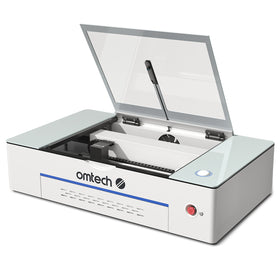
So, if glass laser engraving is still a significant part of your overall engraving work, consider a laser engraving machine of about 50-60W. This gives you the extra power you may need to work with other materials, but does not stray too far from the ideal 40W you need to handle delicate glass projects. The OMTech Polar Lite is an excellent example of laser machines in this category for glass engraving.

3. Pay Attention to Cabinet Size (Z-Depth and Enclosure Clearance)
If you plan to etch mugs, wine glasses, or beer bottles, pay close attention to the physical cabinet size. Many standard desktop CO2 lasers have a very shallow bed depth, and the size of the cabinet puts a limit on the size and height of the glass items you can engrave at any given time.
As a rule for glass laser etching or engraving, once you place a rotary axis accessory onto the laser bed and then place a thick glass container on top of that rotary, you will easily need 6 to 8 inches of vertical Z-depth clearance so the laser head doesn't collide with the object. Look for machines with a motorized "drop bed" or pass-through slots.
4. Choose the Right Motion System: Gantry vs. Galvo
The motion system in a laser engraving machine simply refers to the structure or system that moves the laser head. CO2 laser engravers can either be gantry or galvo systems, and this impacts the speed and versatility of the engraving process.
- The gantry-style CO2 laser is the standard flatbed system where the laser head moves physically on an X/Y rail system. These are versatile for both flat glass sheets and drinkware (via a rolling rotary). They are slower but offer large workspaces.
- With a galvo laser, the laser source is stationary and uses high-speed steering mirrors to project the beam. If your primary business is bulk-marking drinkware, high-volume shops heavily favor CO2 Galvo systems because they can complete an entire cup wrap in seconds rather than minutes.
5. Lens Choice (Focal Length)
When setting up your CO2 laser for glass engraving or etching, look for a 1.5-inch or 2.0-inch focal lens. A shorter focal length creates a tighter, more concentrated spot size, which limits how deep the heat bleeds into the glass, giving you a beautifully smooth "frost" rather than a rough, flaky texture.
Focal lenses can be updated, and as long as you pay careful attention to the rules and processes of how to replace a laser focal lens, this is a setback you can handle eventually.

Buying a CO2 Laser Engraver For Glass Etching/Engraving: Checklist
1. Laser Tube and Power
- Choose between an RF metal tube for finer details and a more affordable DC glass tube.
- Look for 30W–50W of power for glass etching, with 40W or less preferred for delicate engraving.
- Check whether the machine offers reliable low-power control to minimize overheating and cracking.
2. Working Area and Clearance
- Ensure the machine provides enough vertical clearance for your glassware and rotary attachment, ideally 6–8 inches.
- Look for a motorized drop bed or pass-through slots if you plan to engrave taller or larger glass items.
3. Motion System
- Choose a gantry-style CO2 laser for versatility across flat glass and cylindrical drinkware.
- Consider a CO2 Galvo system if your primary goal is high-speed, high-volume glass personalization.
4. Focal Lens
- Check whether the machine supports a 1.5-inch or 2.0-inch focal lens for glass engraving.
- Confirm that the lens can be replaced or upgraded if needed.
5. Production Requirements and Budget
- Choose a CO2 Galvo or UV Galvo system if you need high-speed production of personalized glassware.
- Consider an entry-level 40W CO2 desktop machine for occasional glass engraving on a budget.
- Choose a 60W–80W gantry-style CO2 laser if you need a versatile machine for glass, wood, and acrylic projects.
6. Glass Engraving Setup
- Consider purchasing a secondary 1.5-inch lens for glass engraving on higher-powered machines.
- Reduce air assist when engraving glass, following the machine's recommended settings.
- Use a damp paper towel or dish soap masking technique to help manage heat and reduce rough engraving results.

Best OMTech CO2 Laser Engravers For Glass Etching and Engraving
1. Scenario A: Strictly for Glass Etching and Engraving (The Production Approach)
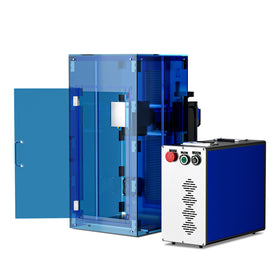
If you are starting an Etsy shop or a business focused entirely on customized drinkware, wine bottles, and window panels, go for a CO2 Galvo laser or a UV Galvo laser with low wattage (30W–40W for CO2; 3W–5W for UV).
- Galvo laser systems do not use a moving overhead gantry; instead, stationary high-speed mirrors project the beam.
- They scan at blistering speeds (up to 5,000+ mm/s), completing a complex logo on a glass tumbler in 5 to 10 seconds.
- They are terrible for cutting large flat sheets, but they maximize your hourly profit margins on glass.
2. Scenario B: It is Strictly for Glass (The Low-Budget Hobbyist)
If you just want to etch a few glass coasters or spice jars over the weekend on a tight budget, go for a desktop 40W CO2 "K40" style gantry laser, or an entry-level Diode laser (paired with matte black spray paint).
If you are a hobbyists and small businesses looking to personalize glassware, the OMTech K40+ 45W Desktop CO₂ Laser Engraver is a practical entry-level option. Its 45W CO₂ laser is suitable for experimenting with glass etching and engraving, including decorative designs on drinkware, awards, and other glass items. If your goal is to create personalized glassware, decorative patterns, or engraved gifts, the OMTech K40+ offers an accessible starting point.

3. Scenario C: You Need a Multi-Material Workhorse (The Hybrid Approach)
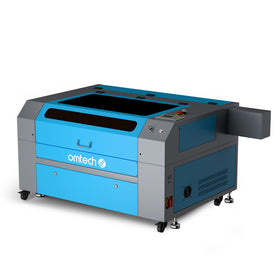
If your business model or hobby requires cutting wooden signage, making acrylic cake toppers, and engraving glass tumblers, go for a 60W to 80W CO2 Gantry Laser equipped with a motorized Z-axis bed.
60W–80W is the community-accepted "sweet spot" hybrid. It has enough power to cut up to 1/4-inch wood and acrylic efficiently, but can still be throttled down just enough to engrave glass.
OMTech Polar 2 Laser Engraver and Cutter: A Versatile Hybrid for Glass Engraving
For makers and small businesses that need a laser engraver for more than just glass, the OMTech Polar 2 Laser Engraver and Cutter is a versatile option worth considering. As discussed above, choosing a CO₂ laser for glass engraving involves more than simply looking at wattage. You also need to consider the machine's motion system, workspace, and ability to handle different materials.
If you are a hobbyists and small businesses looking to expand your glass personalization capabilities, the OMTech Polar Lite 55W Desktop CO₂ Laser Engraver is a versatile option worth considering. Its 55W CO₂ laser and spacious 20.1 × 11.8-inch processing area make it suitable for engraving a range of glass items, from personalized drinkware to decorative panels and awards.
The Polar Lite's larger working area is particularly useful for businesses producing multiple personalized items or working with larger glass pieces. Its autofocus system, rotary-axis compatibility, and LightBurn support also provide flexibility when setting up different engraving projects. For cylindrical glassware, a compatible rotary attachment can help rotate the item during engraving.
Important Notes
To make this hybrid machine look good on glass, you must:
- Buy a secondary 1.5-inch lens specifically for your glass runs
- Turn your air assist compressor completely down
- Use a damp paper towel or dish soap masking to protect the glass from the higher power threshold.

Final Thoughts on Choosing a CO2 Laser for Glass Laser Engraving and Etching
In summary, choosing a CO2 laser for glass etching or engraving is not as simple as choosing the most expensive high-power model you can afford. You need to consider practical features like the laser tube, minimum power control, working area, motion system, and focal length to find a machine that matches your projects and production needs.
Again, if you run a business focused exclusively on personalized glassware, a CO2 Galvo system would be ideal as far as high-speed marking capabilities go. But, admittedly, they can be very expensive. So, if you working on smaller projects can explore an entry-level desktop CO2 laser, while makers who work with multiple materials may benefit from a versatile gantry-style machine with a larger working area.
You may also be interested in this complete guide on how to etch glass as a beginner in 2026.