What I Learned Before Choosing a CO2 Laser Engraver
Before I bought my first laser machine, I was genuinely confused. Not in a vague “too many options” sort of way — I mean confused about things that seemed like they should have straightforward answers and somehow didn’t.
Why does one 60W machine cost £2,000 while another is over £6,000?
What does “working area” actually mean when you’re trying to run real customer jobs?
Is CO2 genuinely better than diode, or is that just marketing from CO2 manufacturers?
It took a while to separate useful information from internet noise. This is the version I wish someone had explained to me earlier.

Diode vs CO2: The Decision Most UK Buyers Start With
Diode lasers are cheaper. Smaller too. Many fit comfortably on a desk in a spare room or workshop corner. For hobby projects — engraving logos onto timber coasters, making small crafts, personalising notebooks — they work perfectly well.
But they have very real limitations.
A diode laser struggles with clear acrylic because the beam passes straight through the material. Reflective surfaces are difficult. Wood cutting is considerably slower than with a CO2 system at equivalent practical output levels.
A CO2 laser engraver works at a wavelength of roughly 10,600nm, which materials like wood, acrylic, leather and rubber absorb extremely efficiently.
That changes everything.
Wood cuts cleaner. Acrylic edges come out polished directly from the machine. Leather engraves crisply without excessive scorching. Production speeds are significantly faster.
If acrylic products are part of your business plan — signs, LED edge-lit displays, wedding décor, retail branding — a diode laser is simply the wrong tool.
That was the point that settled the comparison for me.
If all you ever plan to do is engrave darker images into soft timber occasionally, diode can be enough. But the moment you want proper cutting capability, cleaner edges, or commercially viable production speeds, CO2 becomes the practical choice.

CO2 vs Fibre Laser: Completely Different Machines
People often compare CO2 and fibre lasers as if one is objectively “better”. That’s the wrong way to think about it.
They are designed for entirely different materials.
CO2 Lasers
Best for:
- Wood
- Acrylic
- Leather
- Fabric
- Glass
- Rubber
- Paper and card
This is the category most sign makers, Etsy sellers, schools, craft businesses and gift companies work in daily.
Fibre Lasers
Best for:
- Stainless steel
- Aluminium
- Brass
- Titanium
- Industrial metals
If your business revolves around metal marking, serial numbers, industrial parts or jewellery engraving, fibre is the correct machine.
Otherwise, it probably isn’t.
The mistake many new buyers make is asking:
“Should I buy CO2 or fibre?”
The real question is:
“What materials will I actually be working with every day?”
Once you answer that, the machine category becomes obvious.

Wattage: Important, But Not in the Way Most People Think
New buyers tend to obsess over wattage numbers.
Higher wattage does not automatically mean “better engraving”.
It mainly means:
- Faster cutting
- Thicker material capability
- Better production throughput
A 40W CO2 laser can cut 6mm plywood. Slowly, but it works.
A 60W machine cuts the same material faster and handles thicker stock more comfortably.
An 80W–100W system starts becoming genuinely productive for commercial work — especially if you’re processing customer orders daily.
At 130W, you’re comfortably cutting thicker materials in single passes and maintaining production speed throughout long work sessions.
For many UK small businesses, the sweet spot tends to be around 60W–100W.
That covers:
- Sign shops
- Wedding products
- School projects
- Craft production
- Retail displays
- Etsy businesses
Without jumping into full industrial pricing.
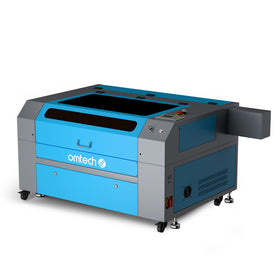
The OMTech Pronto 90W CO2 Laser Engraver sits firmly in that production category, with a 20" × 28" working area large enough for standard sheet materials commonly sold across the UK.
The Table Size Problem Nobody Talks About Enough
This was the part I misunderstood completely when researching machines.
I focused on power specs without thinking about what I’d actually load onto the bed.
Most materials in the UK come in standard sheet sizes:
- 300 × 600mm
- 600 × 400mm
- A2 and A3 acrylic sheets
- Sign-making stock panels
If your machine bed is too small, you end up trimming every sheet before you can even start.
That sounds minor until you realise you’re doing it dozens of times every week.
That means:
- More wasted material
- Extra prep time
- Slower workflow
- More chances to make mistakes
A practical business setup matches the machine bed to the material sizes you’ll use most often — not your single biggest project.
For many UK sign makers and gift businesses, a roughly 500 × 700mm work area is a very practical middle ground.
Large enough for production.
Small enough to fit into a workshop or garage.
CO2 Laser Engravers for Wood: What Actually Matters
Wood is still one of the most common laser materials in the UK market.
But not all wood behaves the same.
Baltic Birch Plywood
Still the gold standard.
Consistent core layers. Minimal voids. Predictable cuts.
That consistency matters more than many beginners realise.
Cheap plywood from DIY shops often contains gaps, inconsistent glue layers and uneven density. The laser hits a void and suddenly your cut fails halfway through.
One ruined customer order quickly costs more than the savings on cheap material.
MDF
Cuts beautifully clean.
Very smooth edges. Extremely consistent.
But MDF dust and fumes are unpleasant and require proper extraction. If you’re cutting MDF daily, good ventilation isn’t optional.
Solid Timber
Engraves beautifully but varies heavily by species.
Oak, walnut and maple all respond differently to speed and power settings.
According to Wikipedia, CO2 laser wavelengths are strongly absorbed by organic materials because their molecular structure interacts efficiently with infrared light around the 10,600nm range. That’s why timber and acrylic process so cleanly compared to metals, which reflect much of the energy.
A CO2 Laser for Small Business: Hobby Machine vs Production Machine
There’s a huge difference between:
- A machine used occasionally
- A machine expected to generate income every week
Consumer-grade systems absolutely exist. Some are perfectly fine for hobby work.
But if you’re running a real business, certain limitations become frustrating quickly:
- Smaller beds
- Slower processing
- Less stable frames
- Limited support
- Lower-duty cooling systems
Those issues show up fast once customer deadlines become involved.
Machines like the OMTech Pronto 130W CO2 Laser Engraver are designed more for continuous workshop use than occasional weekend crafting.
Larger work areas. Faster processing. Built for longer production sessions.
And in the UK, support availability matters more than most buyers realise until something actually goes wrong.
Cooling: The Thing That Quietly Destroys Laser Tubes
CO2 laser tubes require water cooling.
Run them too hot and tube life drops dramatically.
Some machines include integrated cooling. Others require a separate chiller.
Both approaches work. The important thing is maintaining stable coolant temperature during operation.
A bucket of tap water might work temporarily. It is not a proper long-term solution for commercial use — especially during warmer summer conditions.
A dedicated water chiller keeps temperatures consistent, protects the tube, and extends machine lifespan considerably.
This is one of those areas where cutting corners usually costs more later.
Practical Advice Most New Buyers Actually Need
If you’re buying your first laser machine in the UK market, the safest approach is usually:
- Buy based on your materials, not marketing claims
- Prioritise working area more than beginners typically do
- Avoid underpowered systems if production is your goal
- Budget properly for extraction and cooling
- Think about workflow, not just machine specs
Most people eventually discover that laser businesses are less about the machine itself and more about efficient production.
The machine is simply the tool that supports that process.
FAQs
What’s the difference between a CO2 laser and a diode laser?
CO2 lasers cut acrylic, process thicker timber, and operate faster on most soft materials. Diode lasers are cheaper and more compact but struggle with clear acrylic and slower cutting speeds.
Is a CO2 laser engraver good for wood?
Yes. CO2 systems are one of the best options for timber engraving and cutting, offering clean edges, sharp detail and reliable performance across multiple wood types.
What wattage CO2 laser is best for small business use?
For most UK small businesses, 60W–100W is the practical range. It provides enough power for production work without jumping into industrial-scale costs.
Can a CO2 laser engrave metal?
Not directly on bare metal. CO2 lasers can mark coated metals or use marking sprays, but proper metal engraving requires a fibre laser.
How long does a CO2 laser tube last?
Typically between 1,000 and 3,000 hours depending on cooling quality, power settings and usage patterns. Stable cooling and proper maintenance significantly extend lifespan.