Home Laser Engraving Safety Guide
A laser cutter is a powerhouse for creativity. As you gain confidence, you’ll explore more materials and designs—cutting, engraving, or both. But before you dive in, it’s essential to understand the safety risks that come with home laser use. This guide breaks down those hazards and shows you how to operate your machine safely—for you and everyone nearby.
How a Home Laser Machines Works
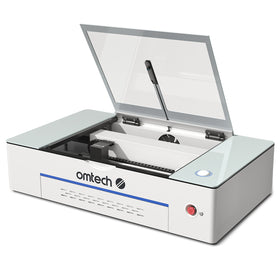
Most consumer laser machines house a Class 4 laser source—capable, precise, and potentially dangerous. Knowing the basics helps you manage risk.
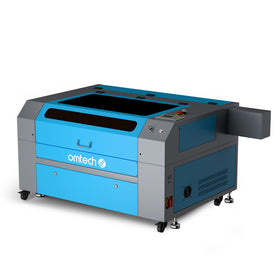
CO2 systems use a glass tube filled with inert gases and a high-voltage power supply. Light is generated in the tube, exits one end, bounces through mirrors, and focuses at the laser head into a tiny spot to cut or engrave the workpiece. The head rides on rails driven by powerful servo motors to trace your design.
Diode lasers create blue or green light with a semiconductor diode.
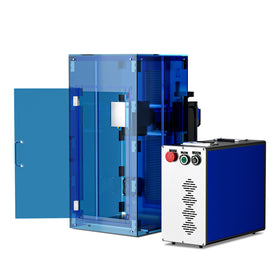
Fiber lasers generate IR light using a semiconductor plus optical fiber and steer it with a single fast-moving mirror.
Are Home Laser Cutters Safe to Use?
Yes—when used correctly. These machines are engineered with safeguards to reduce risk, but the operator plays the starring role in safety. Read the manual, follow the warnings, and wear appropriate PPE. With practice, safe setup and operation become second nature.
When Do Most Injuries Happen?
Many incidents occur during mirror alignment. It can be tempting to open the lid, bypass the interlock, and reach inside while testing. Don’t. Close the lid and use proper procedures—those extra seconds can prevent serious injury.
Light Wavelength Basics
Visible light spans roughly 400–700 nanometers (nm). Different wavelengths behave differently in materials and appear as different colors to our eyes. The rainbow sits around 420–680 nm. Below that range we call it ultraviolet (UV); above it, infrared (IR).
How Laser Light Differs
Everyday light sources emit in many directions and across many wavelengths. A laser emits a tight, intense beam traveling in one direction, usually at a single wavelength.
Green diode laser: about 532 nm
Fiber laser: roughly 780–2200 nm
CO2 laser: around 10,600 nm
Laser Radiation Safety
What Is “Laser Radiation”?
All lasers emit light—technically radiation. No need for a Geiger counter; we’re talking optical energy, not nuclear. “Laser radiation” commonly refers to the scattered light created when the beam strikes a surface and isn’t fully absorbed. Some energy reflects or refracts in random directions—and even matte materials like wood can send harmful scatter back toward you.

Is Laser Radiation Dangerous?
Because of its intensity and wavelength, laser light can be hazardous, especially to your eyes. Follow proper procedures and you should have no exposure during normal operation. Risk also differs by laser type.
Different Hazard Profiles by Laser Type
Diode Laser Hazards
Blue or green diodes are especially risky to eyes, causing the most hazardous laser radiation. Light at 532 nm passes through the eye’s lens and focuses on the retina, where it can cause irreversible damage in less than a millisecond—faster than a blink. Blue tends to be more injurious than green, but both are dangerous.

CO2 Laser Hazards
CO2 lasers emit invisible IR light around 10,600 nm. The invisibility demands extra caution, but most materials—including the cornea and lens—block this wavelength. IR heats surfaces, which is how CO2 lasers cut and engrave. While a brief indirect reflection is less likely to cause instant retinal injury than a diode laser, all laser light is hazardous. Staring into any laser source can cause permanent eye damage.
How to Engrave Safely at Home
Home units are typically Class 4 devices. Before you begin, read your manual, heed machine labels, and learn your system inside and out. Used as designed, many enclosures are effectively Class 1 at the operator’s position, keeping users and bystanders safe.
1. Where to Set Up: Environment Conditions
Choose a location that is:
- Stable, level, dry, and climate-controlled at 40–75°F (4–24°C)
- Below 70% humidity and not near the dew point (to prevent condensation)
- Out of direct sunlight
- Free from dust and airborne contaminants
- Well ventilated
- Away from children; combustible, flammable, explosive, or corrosive materials; and EMI-sensitive devices
Power Tips:
- Use a grounded 3-prong outlet and a stable circuit; avoid sharing the same fuse with other high-draw devices.
- Keep fire suppression tools handy.
- Place a spare work table nearby so nothing rests on or crowds the machine.
2. Prevent Laser Eye Injuries
Is it safe to look at a laser engraver? Can a laser engraver hurt your eyes?
Never view a blue/green diode laser without the correct laser safety goggles.
A CO2 unit is safe to observe through the closed polycarbonate window when all interlocks function properly.
Both can cause permanent harm with direct exposure. Never look into a beam.
Which Laser Safety Glasses?
Match eyewear to your laser’s wavelength. CO2 eyewear is commonly polycarbonate (like your machine’s viewing window), which absorbs IR.
Look for ANSI Z136 or EN207/EN208/EN60825 compliance. Optical Density (OD) 4+ is good; OD 6+ offers added margin. Glasses protect against incidental reflections—not direct beams.
Diode Laser Precautions
Diode lasers are particularly dangerous when it comes to eye damage. Ensure your laser safety glasses are specific to the frequency of diode lasers and completely envelop the eyes.
- Wear wavelength-specific goggles at all times.
- Ensure full eye coverage.
- Keep people and pets out while operating.
- Each operator should have their own PPE.
Laser cutter eye damage can occur quickly: in a fraction of a second, your vision can be permanently effected. Each operator must have their own PPE for laser cutting to ensure safe laser practice.
CO2 Laser Precautions
CO2 lasers are typically less dangerous than diodes because they feature a clear, polycarbonate window which will block the IR laser light when the lid is closed. The lid has a safety switch which stops the laser from firing when the lid opens, ensuring you don't accidentally come into contact with the laser. While you might be tempted to override the switch, it is highly recommended that you don't. Additionally, invisible IR can still burn your skin, so it's best to keep the lid closed during operation.
If you must disengage the lid lock safety, you must wear approved laser safety glasses for CO2 lasers. It is best to keep other people and animals from the room while the laser is running. Post laser safety signage and supply goggles when needed.
Used correctly, enclosed systems are effectively Class 1; careless use can lead to life-altering injuries.
3. Avoid Electrical Hazards
CO2 systems use very high voltages—often exceeding 25,000 volts—which can be lethal. High‑voltage components are enclosed for your protection; keep the cabinet doors closed whenever the machine is powered. Use the emergency stop to cut power immediately if required. If you need to access the electronics cabinet, disconnect the machine from the mains before proceeding.
Condensation is a critical risk factor. Moisture buildup can cause arcing and short circuits at wiring and connectors. Before each session, check for any signs of condensation and ensure the workspace is properly conditioned (heating and ventilation) to prevent moisture. If you hear a sharp snapping sound—an indicator of arcing—shut the laser down immediately, then isolate and correct the fault before resuming operation.
4. Fire and Combustion Precautions
Can a CO2 laser catch fire?
Yes—flammable materials can ignite. A CO2 laser concentrates energy into a fine spot that vaporizes the surface. At lower power or higher speed, you’ll typically just etch; with higher power or slower speed, you’ll cut through. On flammable materials like wood or cardboard, the cut edge can char or even ignite instead of cleanly vaporizing.
That’s why air assist is built in: a steady stream of air at the nozzle helps prevent ignition. If the air pump fails or a hose comes loose, flames can take hold. Make a quick pre-run check to confirm the pump is on and all lines are secure.
Another fire risk is beam “dwell” if the X or Y axis jams and the laser burns the same spot repeatedly. Regular maintenance is your best defense—keep the machine clean and lubricated, inspect the belts, and clear the bed of scraps and old projects.
Tip: never leave your laser running unattended. Stay nearby, stay alert, and you’ll keep those cuts crisp and your workspace safe.
How to Extinguish a Laser Fire
If a fire starts, act immediately: hit the emergency stop to shut down the machine, then quickly smother the flames with a fire blanket. Use a fire extinguisher only if needed—and never discharge an extinguisher on a machine that’s still powered due to the risk of high voltage. Allow the unit to cool completely before inspecting the cause and assessing any damage.
Safety precautions for mechanical issues
Your laser relies on powerful servo motors to drive the head for cutting and engraving. Aside from limit switches at the ends of travel, these motors won’t “feel” a jam. Because they can apply significant force, reaching into the cabinet while the machine is on is extremely dangerous and can cause severe injury. Keep hands clear, store tools and extra workpieces outside the enclosure, and keep the cabinet doors closed whenever the laser is powered.
5. Laser Engraver Exhaust: Safe Ventilation
Are laser cutting fumes toxic?
Yes. Fumes and smoke from CO2 laser processing can be harmful. Even common materials like wood and acrylic release irritants and carbon monoxide. The good news: most systems include ventilation that moves exhaust outdoors where it disperses rapidly. With a properly installed and functioning exhaust, any lingering odor should be minimal and exposure greatly reduced.
Is laser cutting acrylic toxic?
Yes. Laser-cutting acrylic can emit hazardous gases such as formaldehyde, hydrogen cyanide, and other VOCs. These can irritate eyes, nose, and throat, and may affect your respiratory system. Always work in a well-ventilated area, wear a respirator when needed, and use a smoke extractor to capture fumes at the source.
Should you wear a mask when laser engraving?
A respirator is a smart choice whenever there’s potential exposure to fumes or fine particles. OMTech’s enclosed designs and robust ventilation help remove contaminants efficiently, but frequent lid openings or very long jobs can leave residual fumes. In those cases, wear a respirator to protect your lungs.
How harmful is laser dust?
Laser smoke and dust fall into the PM2.5 category—avoid breathing them. If your exhaust system is working effectively, these particles are carried outside and away from your workspace, significantly reducing exposure.
Can you run a laser engraver indoors?
Yes, with proper ventilation. Smoke must be removed quickly to prevent residue that can foul bearings, mirrors, and the focus lens.
Many prefer a climate-controlled garage or outbuilding. Even with good exhaust, some odor can linger because enclosures aren’t airtight.
How to Vent a Home Laser
Your CO2 engraver should include an exhaust fan and flexible ducting. During setup, connect the duct to the machine’s exhaust port and route it to a safe outdoor vent. The fan must be strong enough to move fumes and particulate through the duct and out of the building. For heavier workloads, add an inline fan to increase airflow. Turn the fan on before you start and let it run for about a minute after the job to clear remaining smoke.
The outlet should vent outdoors through a dedicated wall cap or window adapter and be protected with mesh and a backdraft flap to deter wind, insects, and animals. Position the outlet away from walkways and gathering areas. Odors may be noticeable—be considerate of neighbors—and follow all local regulations for venting laser exhaust.
Pro Tip: For long duct runs, place the fan near the outlet so it pulls air through the duct rather than pushing from the machine.
6. Material Safety
When in doubt, check the material’s Safety Data Sheet (SDS). Burning and vaporizing can release hazardous byproducts.
Materials suitable for laser cutting/engraving:
- Cardboard
- Ceramics (dishes, tiles, etc.)
- Glass
- Paper and paperboard
- Rubber
- Genuine leather*
- Stone (marble, granite, river rock, etc.)
- Textiles (cotton, suede, felt, hemp, etc.)
- Wood (cork, MDF, plywood, balsa, birch, cherry, oak, poplar, etc.)
- Plastics, including:
- Nylon (polyamide, PA, etc.)
- Polyethylene (PE)
- High-density polyethylene (HDPE, PEHD, etc.)
- BoPET (Mylar, polyester, etc.)
- PETG (PET-G, etc.)
- Polyimide (PI, Kapton, etc.)
- PMMA (acrylic, Plexiglas, Lucite, etc.)
- POM (acetal, Delrin, etc.)
- Polypropylene (PP, etc.)
- Styrene
*Genuine leather is safe to cut/engrave, but if it’s tanned, verify it’s vegetable-tanned. Chromium-tanned leather can release hazardous particles.
Materials you should not laser cut or engrave:
- Artificial leather containing hexavalent chromium (Cr[VI])
- Chlorinated materials: PVB and PVC (vinyl, Sintra, etc.)
- Fluorinated materials: PTFE (Teflon), etc.
- Materials with halocarbon compounds
- Phenolic resins, including many epoxies
- Polycarbonate (PC, Lexan, etc.)
Note on PVC/vinyl: Fumes are toxic and condense inside the cabinet, rapidly corroding metal parts and bearings.
Metal Marking with CO2
You can mark metal using a dedicated marking compound. Standard CO2 lasers cannot cut or engrave metal due to reflectivity and conductivity. For metal engraving, see OMTech fiber laser options.
7. Best Practices for Home Laser Safety
- Keep the workspace clean and clutter-free.
- Maintain and service your laser regularly.
- Clean exhaust fans every 6 months.
- Replace cooling water monthly and add algaecide.
- If multiple people use the machine, keep a logbook of issues.
- Teach family members laser safety if the machine is at home.
- Keep the engraver behind locked doors if possible—especially with kids or curious pets.
- Store the key that unlocks the cabinet in a safe place.
- Do not bypass safety features.
- Never get complacent or cut corners.
With the right setup and habits, your laser becomes a powerful, safe partner in creation. At OMTech, we’re here to make that journey clear, confident, and inspiring.